Who can use it: care-home managers and administrators.
Where to find it
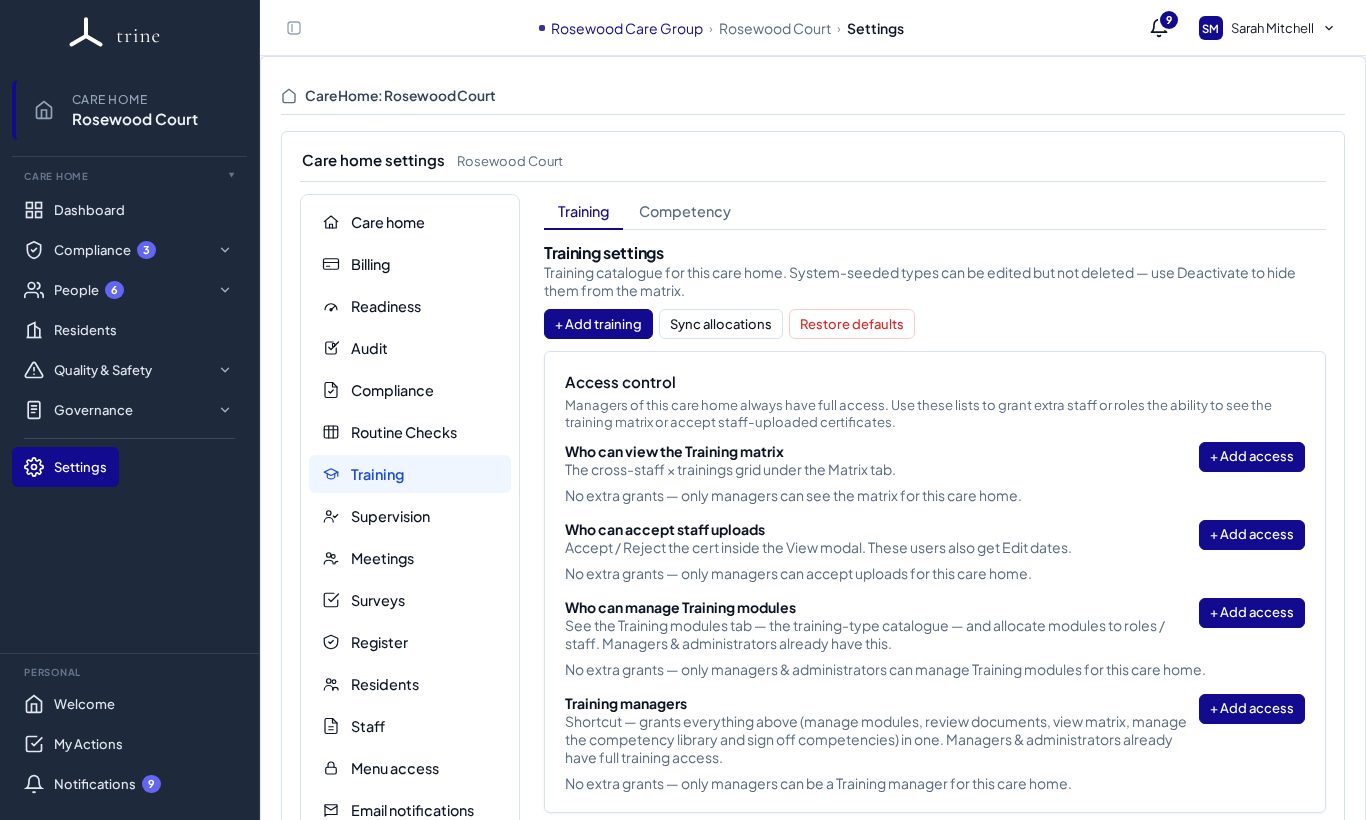
Open Settings → Training, or the gear on the Training page. There are two tabs: Training and Competency.
How to
- Review the training courses and which job titles each applies to. + Add training adds your own; courses you no longer use can be deactivated rather than deleted.
- Changing a course's job titles, or switching a course off or on, updates who it's allocated to straight away. Restore defaults brings back the standard set; Sync allocations re-checks every course for every staff member — for example after job titles change. Certificates are never deleted: when a course stops applying to someone who already has one, it's kept as No longer allocated.
- Under Access control, choose: - who can view the training matrix, - who can accept staff uploads, - who can manage training modules, and - Training managers — a shortcut that gives all three. Grant each to a role or a named person with + Add access.
- Use the Competency tab for the competency library and its sign-off settings.
What to expect
Each role is auto-allocated its applicable mandatory courses when a staff member joins. Delegated training access lets trusted staff manage training without becoming managers. Managers and administrators always have full access.
Related: Training · Competency · Menu access and delegated permissions