Your account
Account (in the menu under your name at the top right) holds your profile, password, two-factor authentication, email preferences and your data requests. See Your account and security.
Your scope
- Your role and the scope you're in decide what you can see and do.
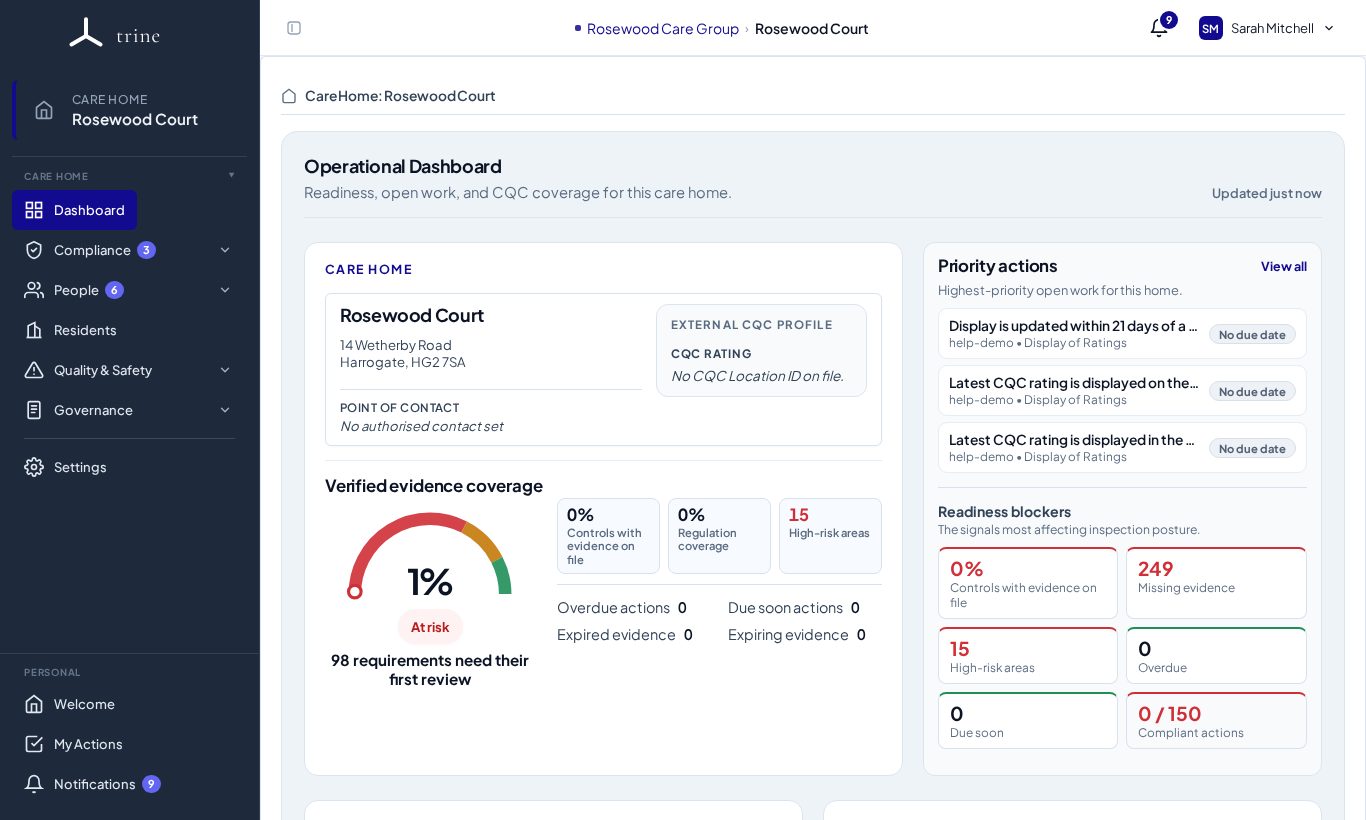
- The breadcrumb at the top centre always shows your current scope — for example Rosewood Care Group › Rosewood Court.
- Switch provider or care home from the top bar; click the provider name in the breadcrumb to step up to the provider view (if your role allows it).
Tip: seeing a "no access" or empty state? You are probably in the wrong scope, or your role doesn't include that area. Switch scope or ask an admin.
Roles in brief
- Managers and administrators run the home: staff, settings and every module.
- Staff see what their menu access allows — often their own documents, training, allocated checks and actions, and the staff resources library.
- Agency workers and external users (such as inspectors) have restricted, access-only logins.
- Provider administrators work across all of the provider's homes.
Related: Your account and security · Signing in and switching care home · Menu access and delegated permissions