Who can use it: care-home managers and administrators. Available on Professional and Enterprise.
Where to find it
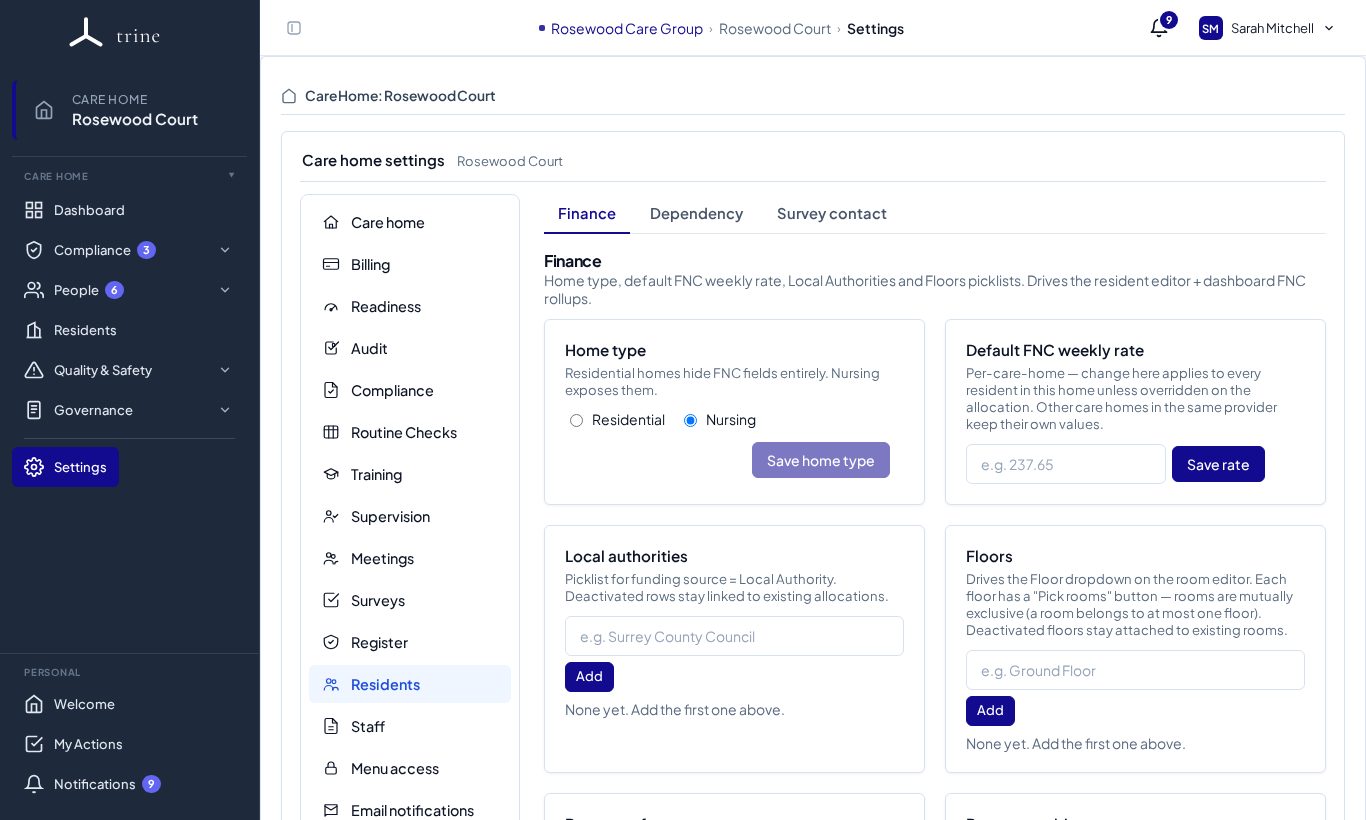
Open Settings → Residents. It has three tabs: Finance, Dependency and Survey contact.
How to
- Home type — choose Residential or Nursing, then Save home type. Residential homes hide FNC fields; NHS-funded nursing options need a nursing home.
- Default FNC weekly rate — the rate used for new nursing allocations, then Save rate.
- Local authorities — add the councils you work with (see Local-authority configuration).
- Floors — add floors for the room layout.
- Room configurator — set up rooms in bulk (see Room configuration).
- Set who can see finance figures and who can see invoices.
- Use Dependency for dependency levels and Survey contact for how residents and relatives are contacted for surveys.
What to expect
Finance figures (weekly rate, funding source, FNC) drive occupancy and income reporting. Finance visibility controls who can see monetary values.
Related: Residents and rooms · Room configuration · Local-authority configuration