Who can use it: care-home managers and administrators.
Where to find it
Open Settings (below the divider in the menu). The sections are listed down the left.
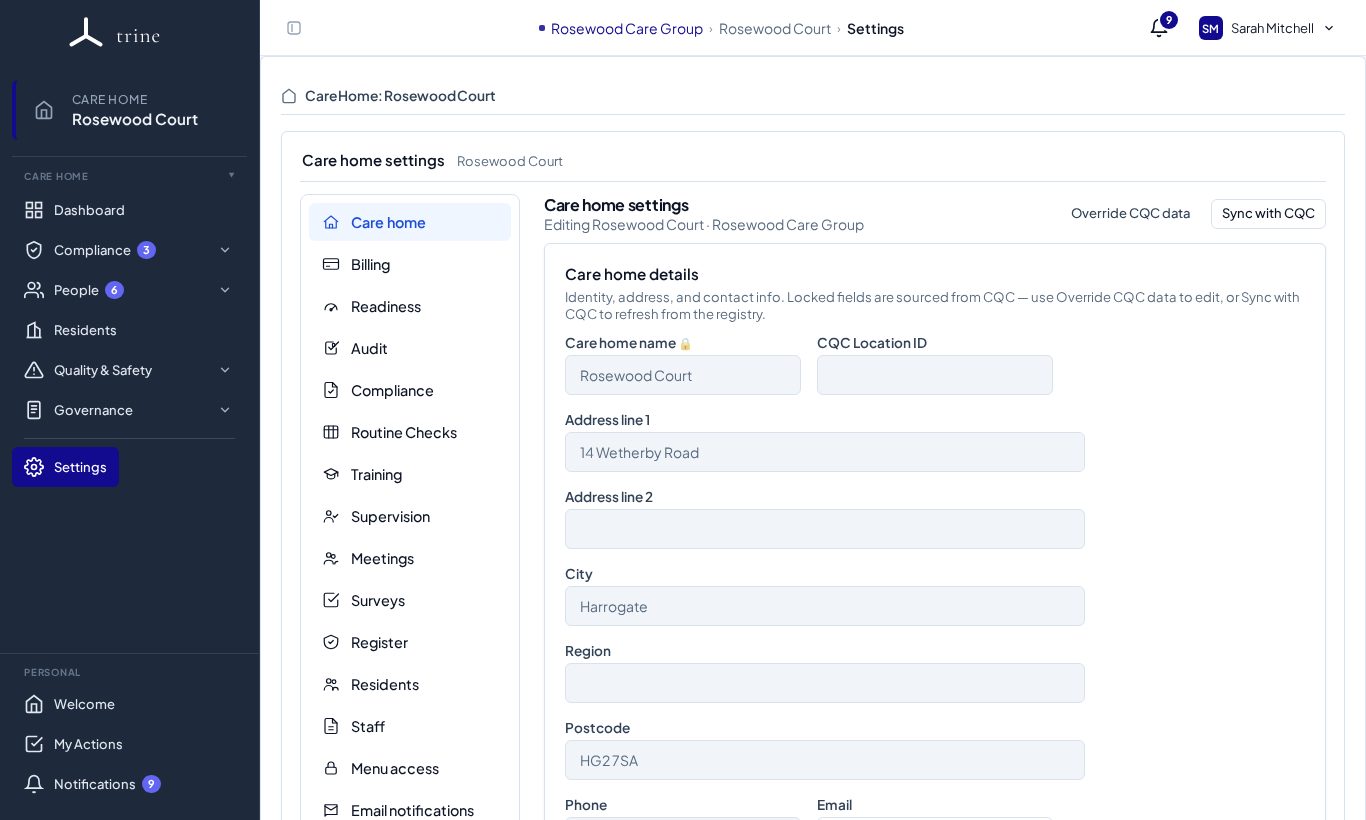
Sections
- Care home — Care home details and CQC data
- Billing — Billing and subscription information
- Readiness — Readiness settings
- Audit — Audit settings
- Compliance — Compliance settings
- Routine Checks — Routine Check settings
- Training — Training settings and training access
- Supervision — Supervision and appraisal settings
- Meetings — Meeting types, templates and access
- Surveys — Survey settings and templates
- Register — Register categories and settings
- Residents — Resident and finance settings, Room configuration and Local authorities
- Staff — Staff settings, job titles and access
- Menu access — Menu access and delegated permissions
- Email notifications — Reply email and email-notification settings
- Email templates — Email templates
Good to know
- Many pages also have a gear button that opens their own settings section directly.
- Some settings are provider-wide — set by a provider administrator and inherited by every home — while others are specific to this home. What you can change also depends on your role and the home's plan.
Related: Provider settings · Menu access and delegated permissions