Who can use it: care-home managers. Available on Professional and Enterprise.
Where to find it
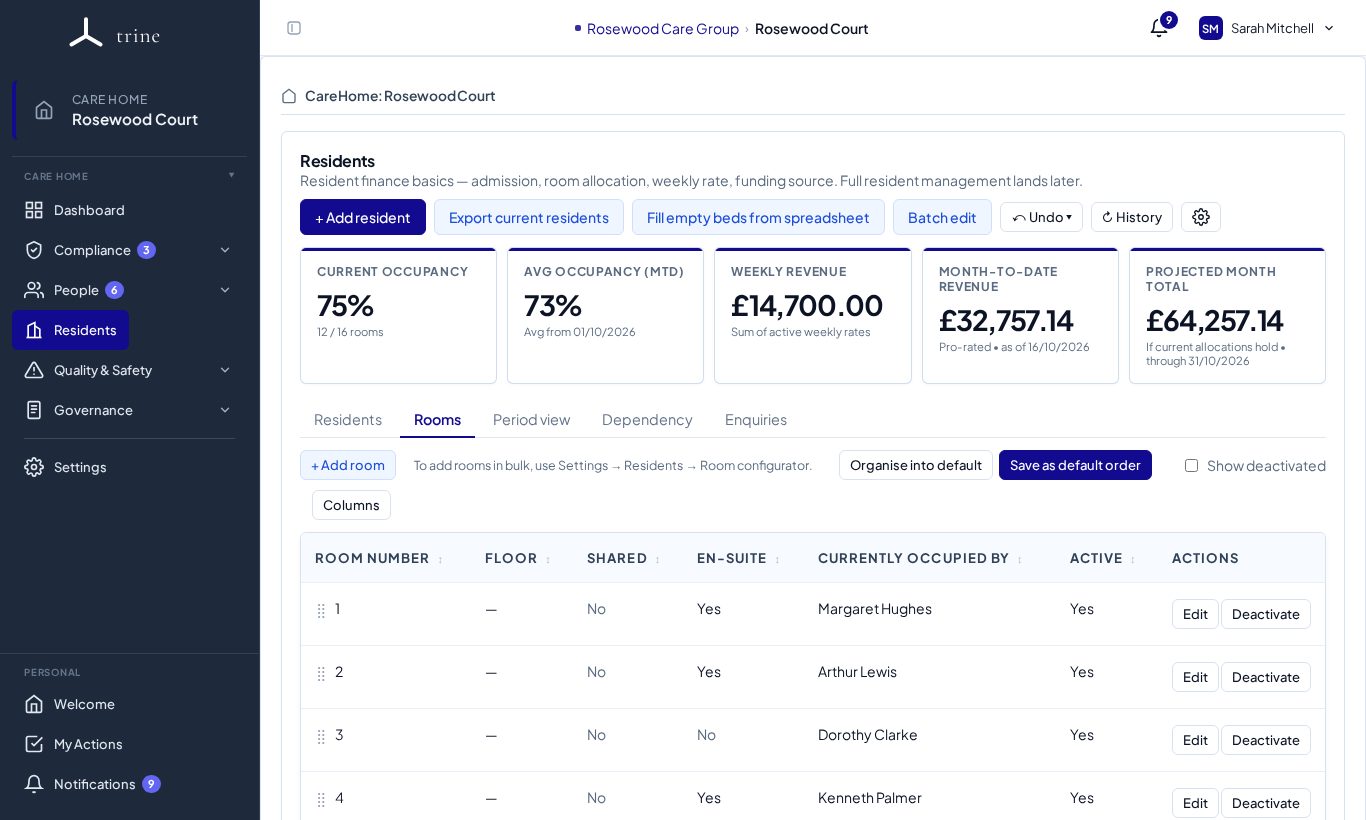
Open Settings → Residents (Finance tab) and use the Room configurator, or the Rooms tab on the Residents page.
How to
- Enter a total room count and a numbering style — plain (1, 2, 3…), floor/hotel (101, 102…) or a custom prefix.
- Review the Preview (it blocks if any number clashes with an existing room), then generate the rooms in one step.
- Edit, rename, mark shared or en-suite, or deactivate individual rooms afterwards — on the Residents page's Rooms tab (Edit, Deactivate, + Add room).
Important
Generation never overwrites an existing room. Reset rooms is strongly confirmed: it ends current bed allocations as of today and deactivates every room, while preserving allocation history — residents become unallocated, ready for a fresh layout.
Related: Resident and finance settings · Residents and rooms