Who can use it: care-home managers and administrators.
Where to find it
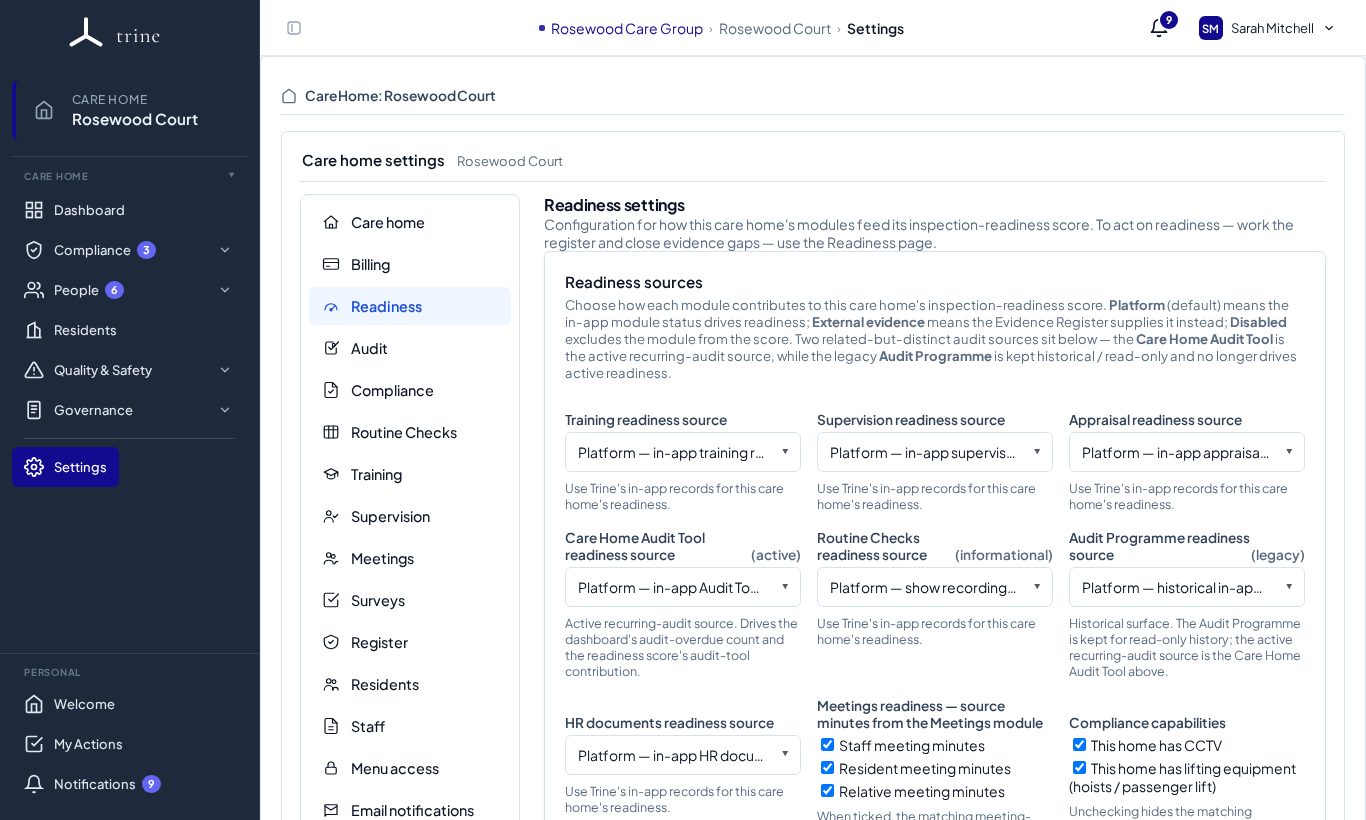
Open Settings → Readiness.
How to
- For each module — Training, Supervision, Appraisal, the Care Home Audit tool, Routine Checks (informational), HR documents and the legacy Audit programme — choose its readiness source: Platform (tracked in Trine), External evidence (maintained outside Trine) or Disabled.
- Under Meetings readiness, tick which minutes count: staff, resident and relative meeting minutes.
- Under Compliance capabilities, tell Trine whether the home has CCTV and lifting equipment, so only the documents that apply are expected.
- Manage action categories and evidence types — use the built-in ones or add your own (provider-wide or for this home).
What to expect
The readiness score and gaps are computed only from the modules set to Platform. Modules set to External or Disabled don't count against the score.
Good to know
Setting a module to External means you're confirming it's maintained elsewhere — Trine won't chase in-app evidence for it.
Related: Readiness · Evidence Health and gaps