Who can use it: care-home managers and administrators.
Where to find it
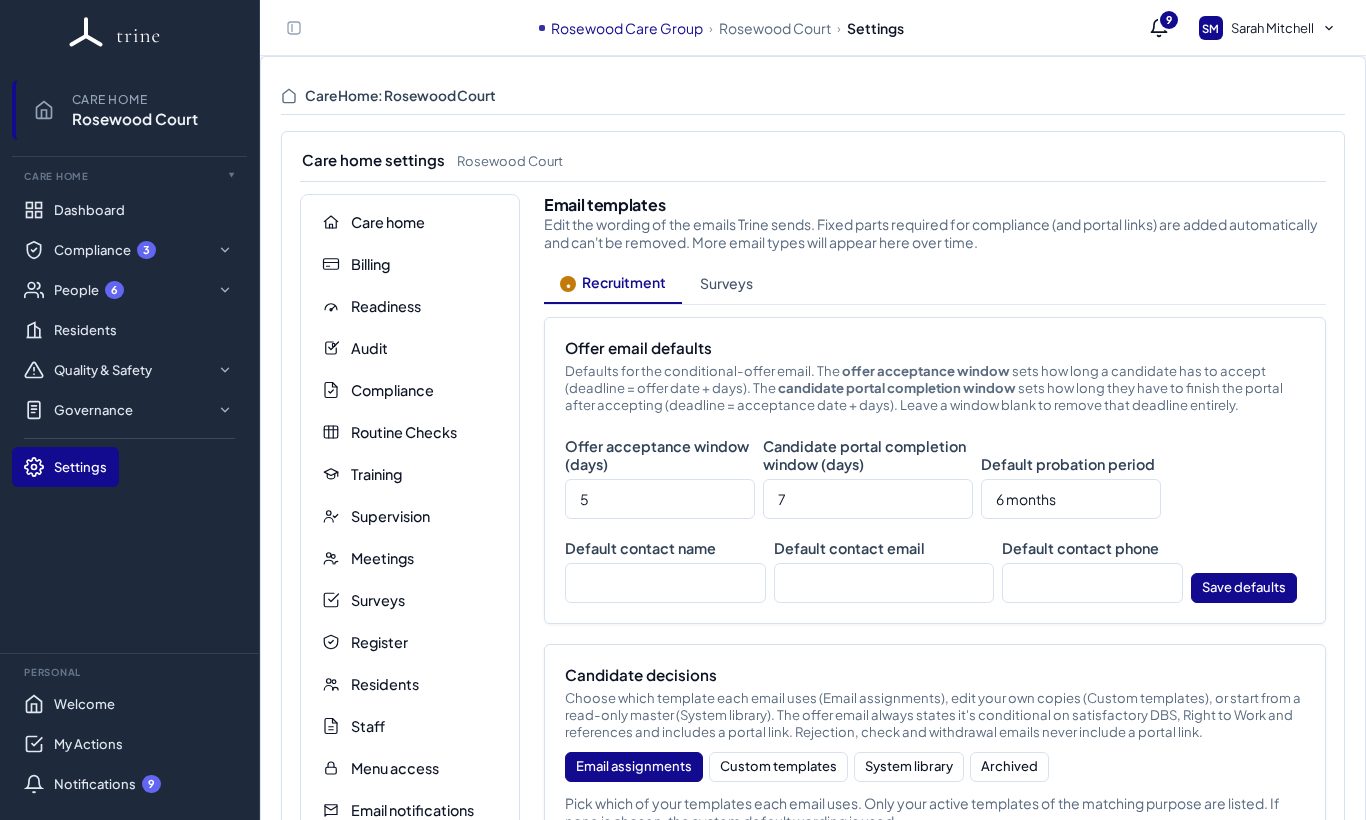
Open Settings → Email templates. Tabs group the emails by area, for example Recruitment and Surveys.
How to
- Offer email defaults — the offer acceptance window (days), the candidate portal completion window (days), the default probation period and the default contact name, email and phone shown on offers. Press Save defaults.
- Candidate decisions — choose which template each decision email uses (Email assignments), edit your own copies (Custom templates), start from the System library, or restore from Archived.
- Edit an email's content. Unedited emails fall back to the standard wording.
What to expect
Your edits apply to emails sent for this home. Fixed parts required for compliance (such as portal links) are added automatically and can't be removed.
Related: Reply email and email-notification settings · Recruitment and onboarding