Who can use it: care-home managers and administrators.
Where to find it
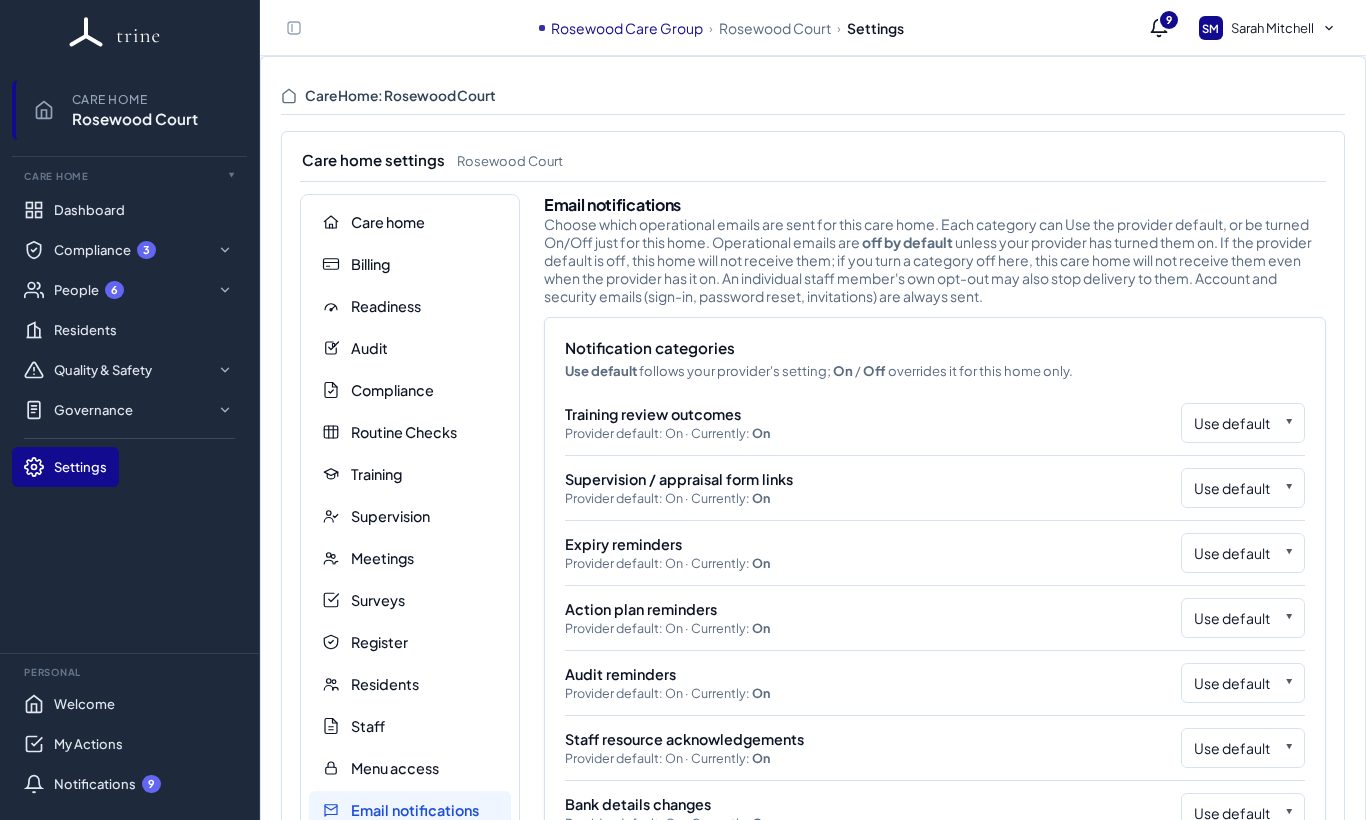
Open Settings → Email notifications.
How to
- Set the home's reply email — the address replies go to — and complete verification by clicking the link sent to that address.
- Under Notification categories, choose for each kind of email (for example training review outcomes, supervision / appraisal form links, expiry reminders, action plan reminders, audit reminders, staff resource acknowledgements and bank-details changes) whether to Use default (the provider's setting), turn it On or turn it Off for this home.
Important
Some outgoing emails — survey invitations, recruitment emails and emails to staff — need a verified reply email before they can be sent. Until it's verified, those sends are blocked with a prompt to finish verification.
Good to know
Each person can also turn categories off for themselves in Account → Notifications. Security and sign-in emails are always sent.
Related: Notifications · Email templates