Who can use it: everyone, for their own account.
Where to find it
Open the menu under your name at the top right and choose Account settings. It has four tabs: Account, Security, Notifications and Help & Manual.
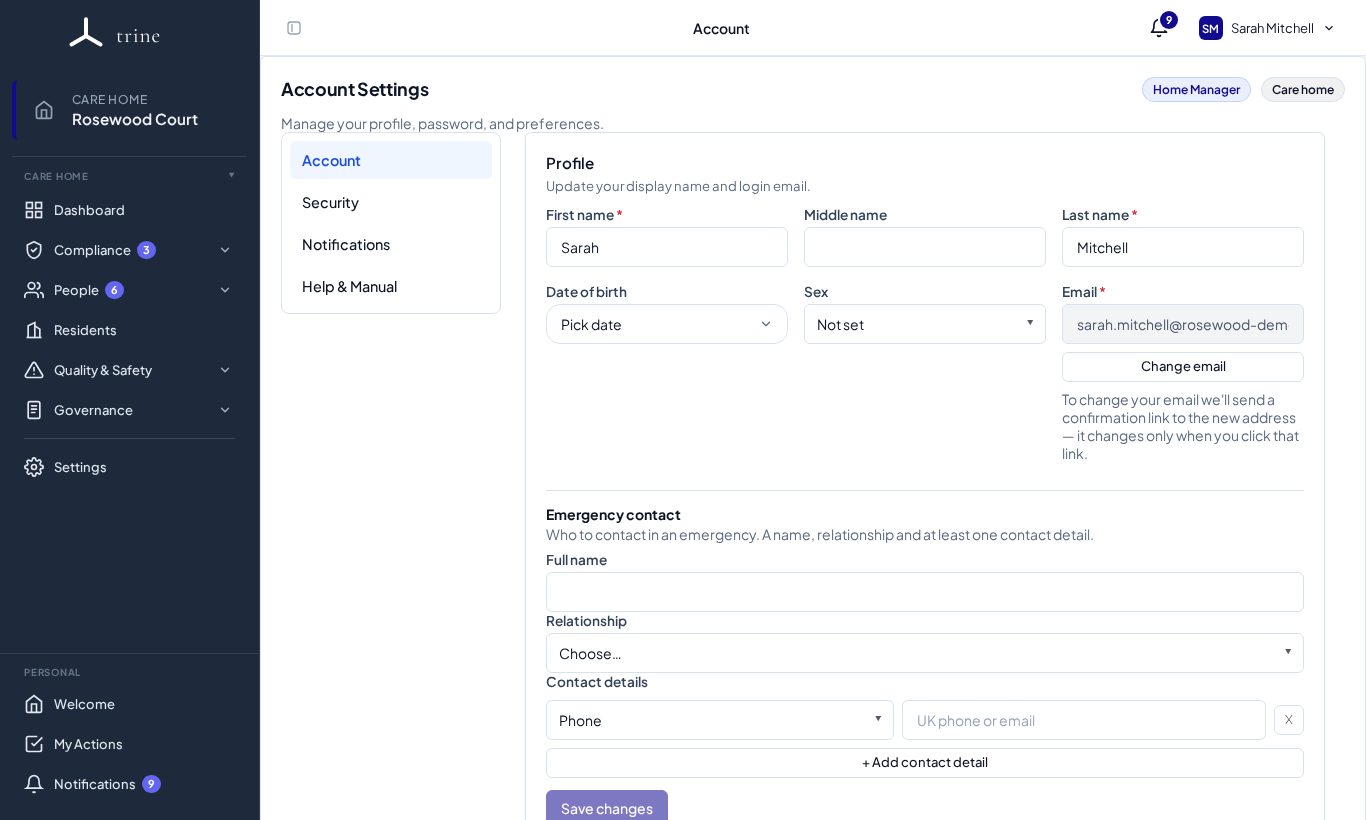
Account
- Update your first, middle and last name, date of birth and sex.
- Change email sends a confirmation link to the new address; your login email changes only when you click it.
- Add your emergency contact — who to contact in an emergency, their relationship and how to reach them (+ Add contact detail for more numbers or emails).
- Managers can upload a signature (PNG or JPEG, up to 2 MB) used on staff letters they generate. Existing letters keep the signature they were created with.
- Your data and access — send a data-protection request about your data, choosing what you'd like and whether it's for the care home or the provider.
- Press Save changes. If you try to leave with unsaved changes, Trine asks first.
Security
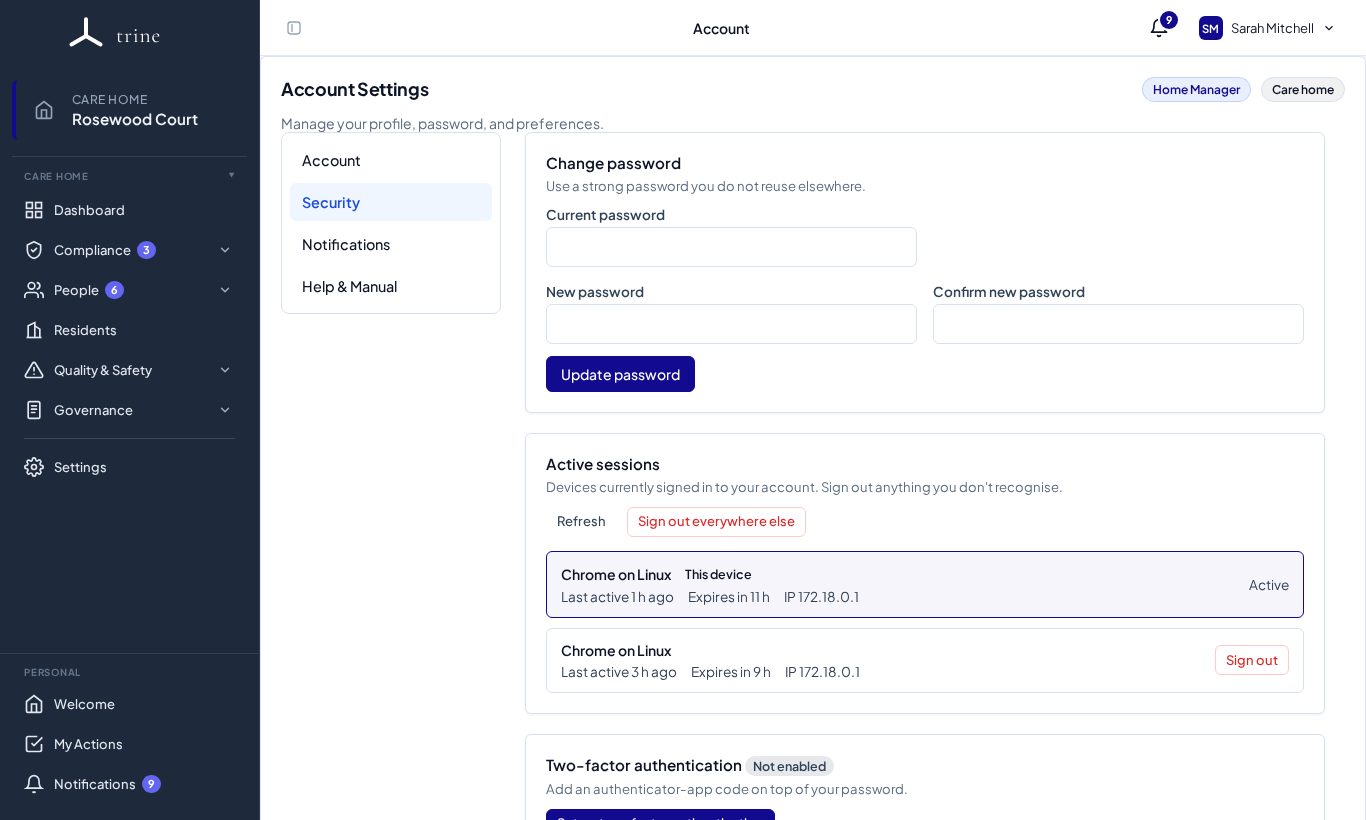
- Change password — enter your current password, then the new one twice, and press Update password.
- Active sessions — every device signed in to your account, with when it was last active. Sign out everywhere else ends all other sessions — use it if you've signed in on a shared computer or lost a device.
- Two-factor authentication — press Set up two-factor authentication, scan the code with an authenticator app (for example Microsoft or Google Authenticator), and enter a six-digit code to confirm. Save your recovery codes somewhere safe.
Notifications
Choose which emails you receive and which menu markers show — see Notifications.
Good to know
- Your provider may require 2FA for your role. If so, you'll be guided to set it up before you can use the app, and you can't turn it off while the policy applies.
- If you lose your authenticator and recovery codes, a manager or administrator can reset your 2FA from your Access section.
Related: Notifications · Signing in and switching care home