Who can use it: care-home managers and administrators.
Where to find it
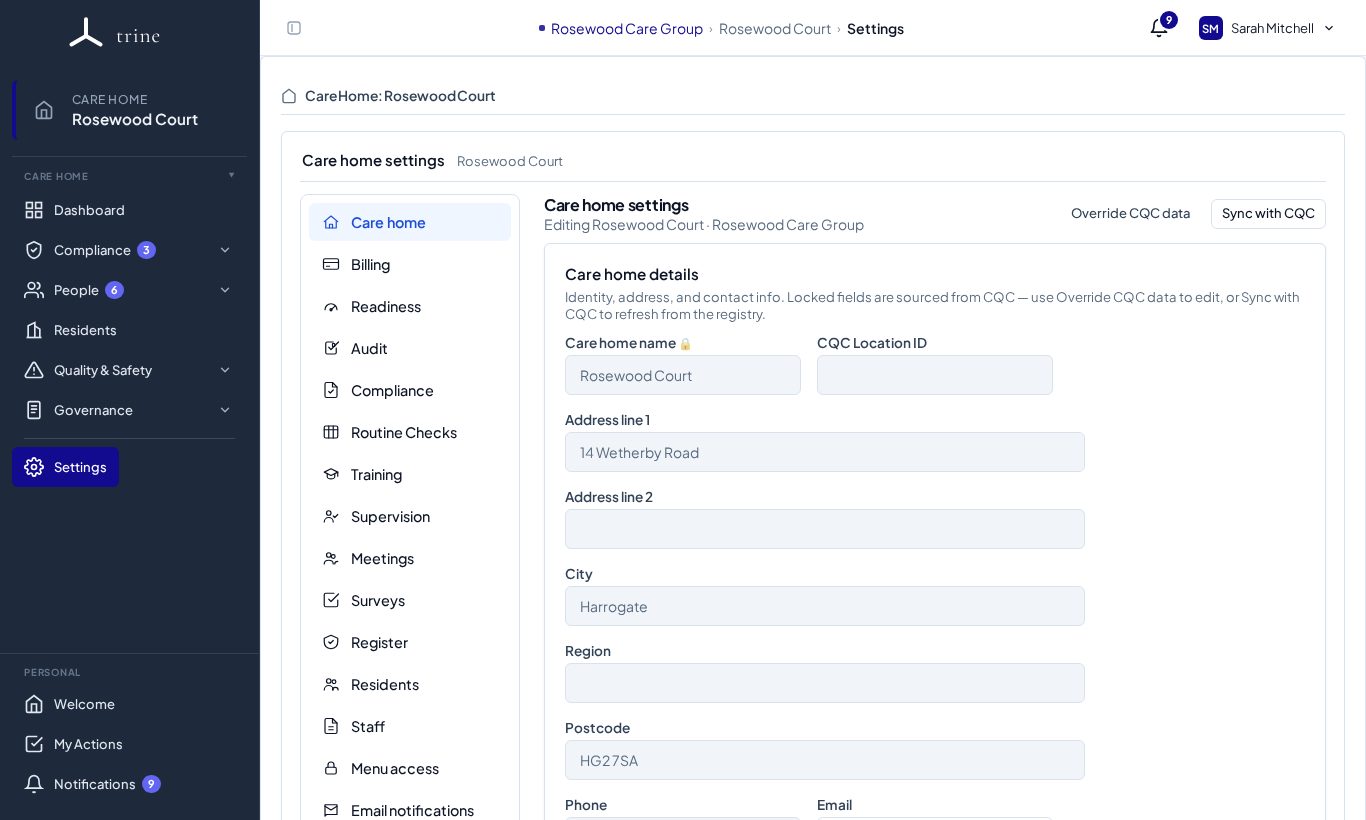
Open Settings → Care home.
How to
- Review the home's name, address, region, postcode, phone and email.
- Add or update the CQC Location ID so the home's external CQC profile and rating can be shown.
- Fields that come from CQC are locked. Use Sync with CQC to refresh them, or Override CQC data to edit them yourself.
- Upload the home's logo — it appears on letters and PDF exports.
- Save your changes.
What to expect
The dashboard identity card, letters and reports use these details. A valid CQC location ID lets Trine display the home's current rating; without one, the dashboard shows "No CQC Location ID on file".
Related: Care home settings: overview · PDF exports