Who can use it: care-home managers and administrators.
Where to find it
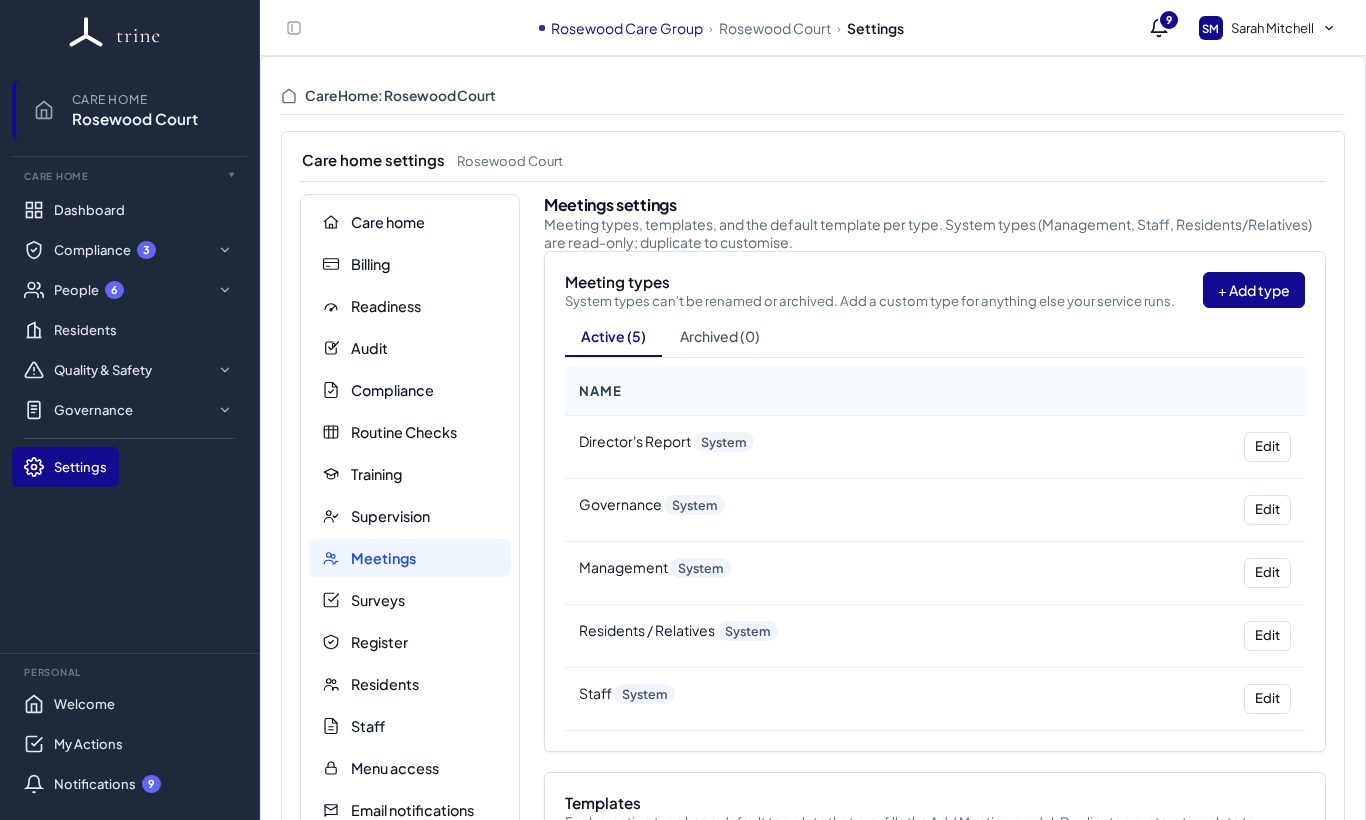
Open Settings → Meetings, or the gear on the Meetings page.
How to
- Review the meeting types — the system types are Director's Report, Governance, Management, Residents / Relatives and Staff. + Add type adds your own; archive types you don't use.
- Set access rules per type — who can read and who can write, by role or named user.
- Manage each type's templates: copy from the library, edit questions and sections, and choose the default.
- Manage the per-template QR codes for no-login public minute submission.
What to expect
Access rules control who sees and edits each meeting type. Rotating a QR code invalidates the old printout immediately.
Related: Meetings and governance