Who can use it: care-home managers and administrators.
Where to find it
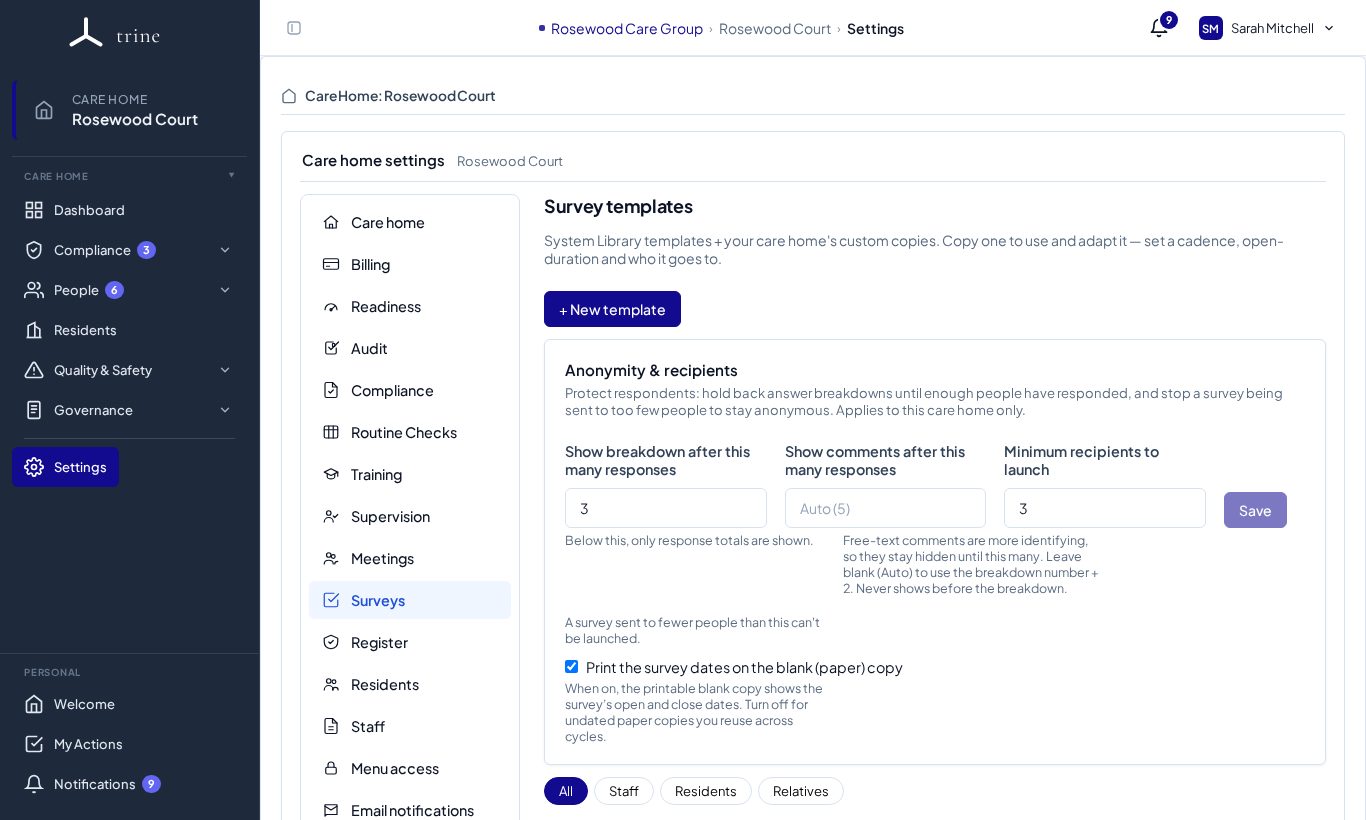
Open Settings → Surveys.
How to
- Review the System Library survey templates (experience, food and dining, cleanliness, activities and more) and copy the ones you use; edit your copy, or press + New template.
- Set each template's cadence (a recurring reminder) and default open duration.
- Under Anonymity & recipients, set: - Show breakdown after this many responses, - Show comments after this many responses, and - Minimum recipients to launch a survey.
- Tick Print the survey dates on the blank paper copy if you want them on printed forms.
What to expect
The Surveys page shows when each type of survey is next due; a manager presses + Start survey to launch a campaign from a template. The thresholds protect respondents' anonymity in small groups.
Related: Surveys