Who can use it: care-home managers and administrators.
Where to find it
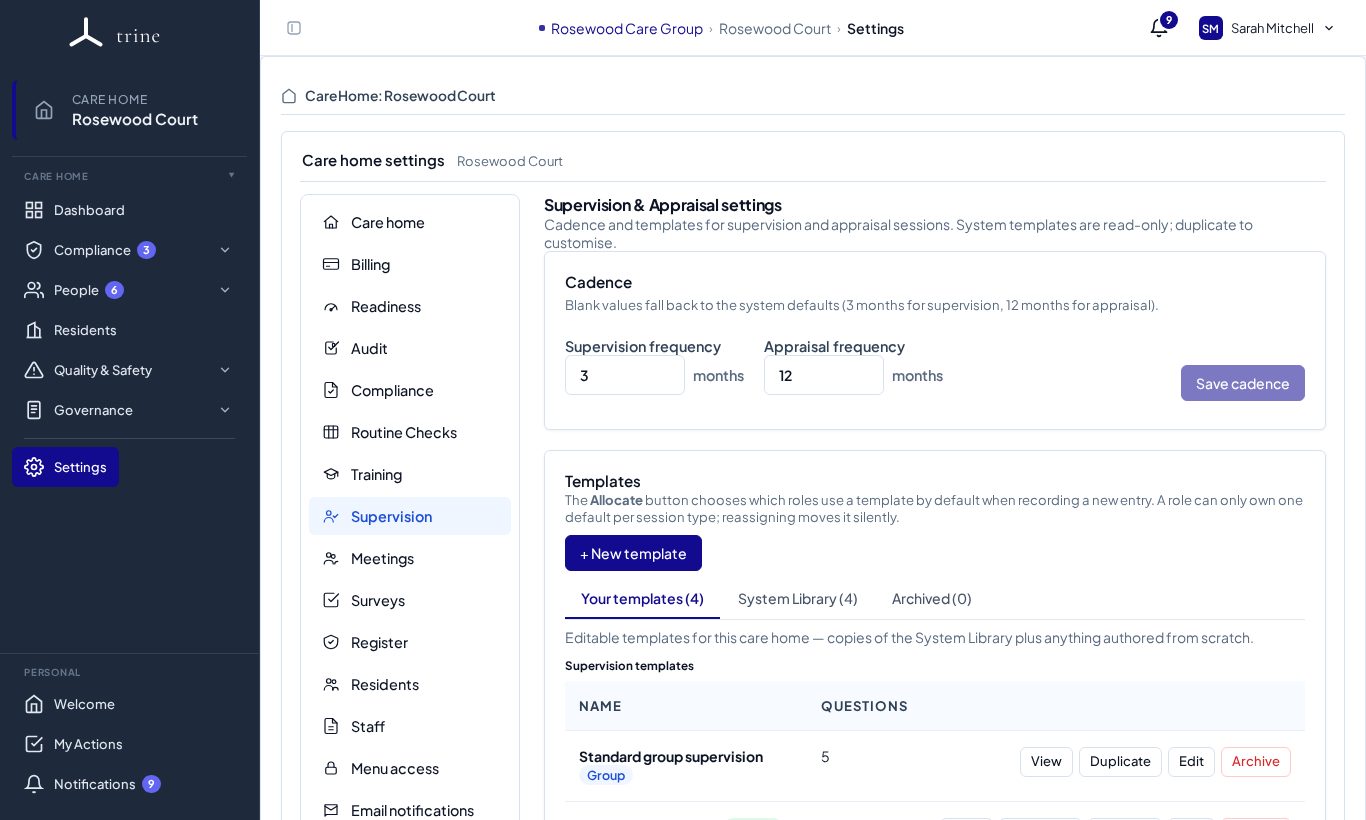
Open Settings → Supervision.
How to
- Under Cadence, set how often supervision (in months) and appraisal (in months) are due, then Save cadence. Blank values fall back to the system defaults (3 months for supervision, 12 for appraisal).
- Under Templates, review Your templates, copy more from the System library, or + New template. Archived keeps retired templates.
- Choose a default template per type or role. Use the group templates (for example Standard group supervision) for group sessions — group templates can't be the default for individual sessions.
What to expect
The cadence drives the Overdue, Due soon and Current statuses on the Supervision / Appraisal page. You can always record a session with No template and add sections as you go.
Related: Supervision and appraisal