Who can use it: care-home managers and administrators.
Two views answer two different questions:
- Evidence health — which documents need renewing?
- Readiness → Evidence gaps — which requirements still need evidence?
Evidence health
Open Compliance → Evidence health.
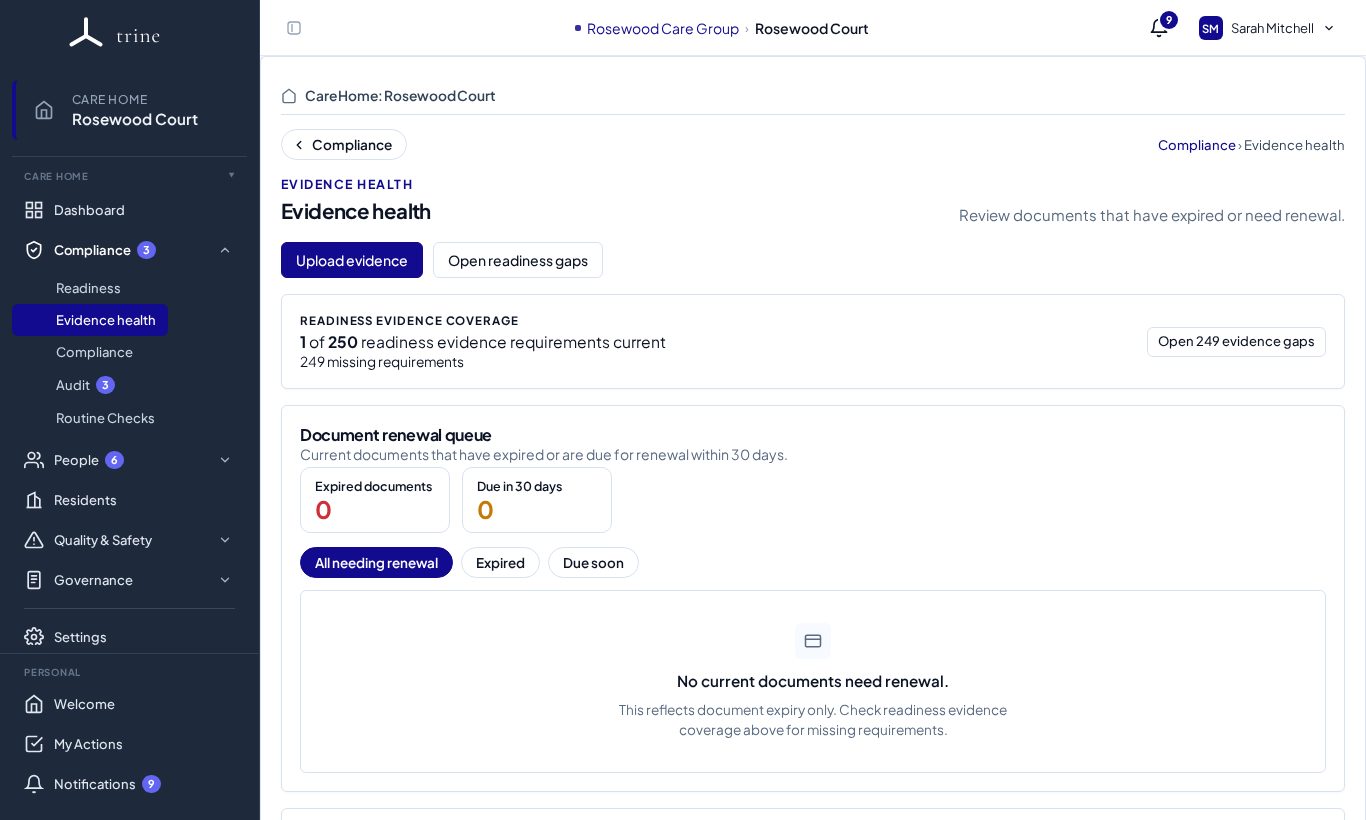
- Readiness evidence coverage shows how many requirements have current evidence (for example 1 of 249). Open evidence gaps jumps to the gaps list.
- The Document renewal queue lists documents that have expired or are due within 30 days, record by record. Filter with All needing renewal, Expired or Due soon.
- Renew a document by uploading its replacement. Upload evidence adds a new file.
Evidence gaps
Open Compliance → Readiness and choose the Evidence gaps tab.
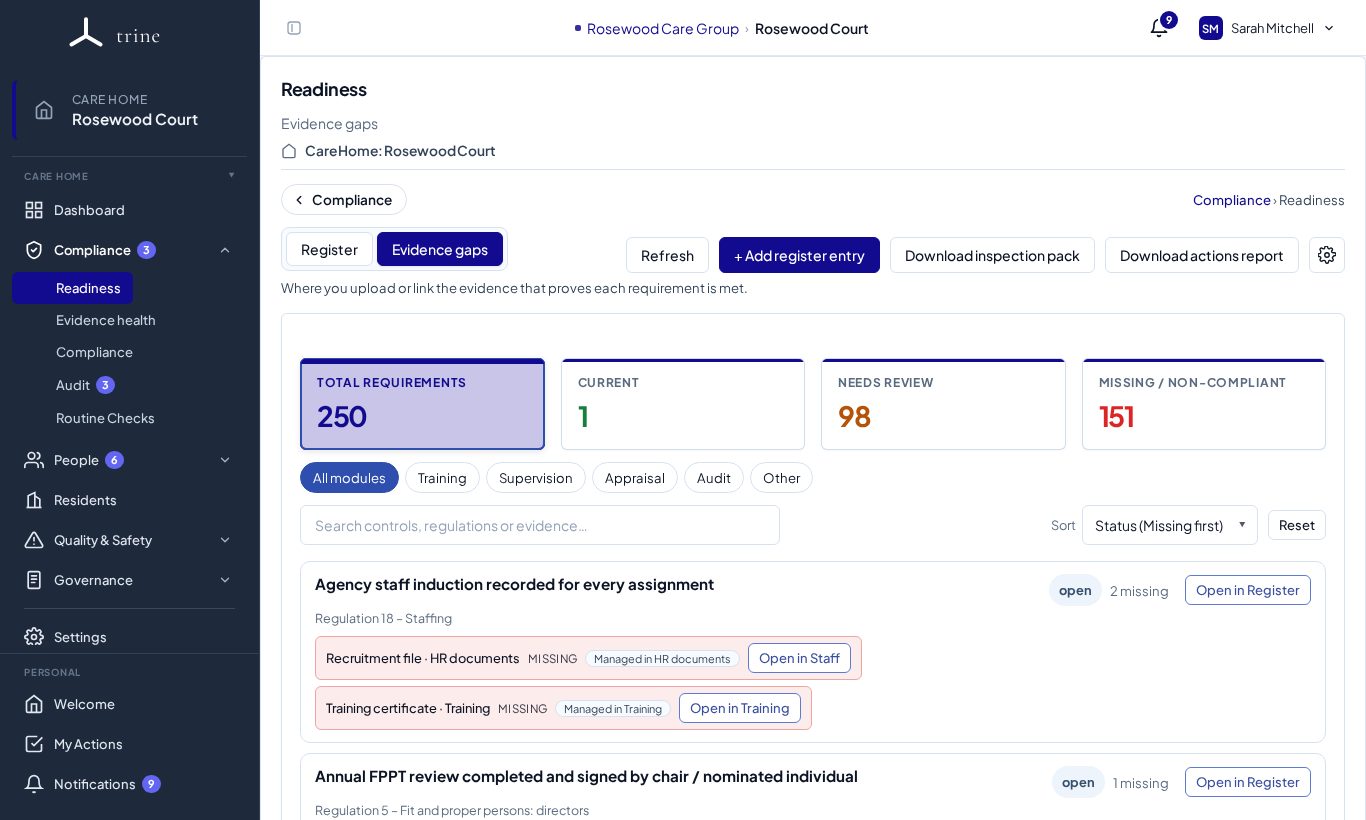
- Cards show Total requirements, Current, Needs review and Missing / non-compliant.
- Filter by module — All modules, Training, Supervision, Appraisal, Audit or Other — or search by control, regulation or evidence.
- Each requirement card lists what's missing (for example Recruitment file · HR documents · MISSING) with links such as Open in Staff, Open in Training or Open in Register to fix it.
- For each requirement, choose how it is met — upload evidence in Trine, link a routine check or audit, or record that it's maintained in your care-management system with a review date.
Good to know
- Document expiry and requirement cover are tracked separately: an expiring document still appears for renewal even when the requirement is otherwise satisfied.
- Trine records only that an external check was done and when — never resident or clinical data.