Who can use it: care-home managers and administrators. Available on Professional and Enterprise.
Where to find it
Open Residents (a direct link in the menu).
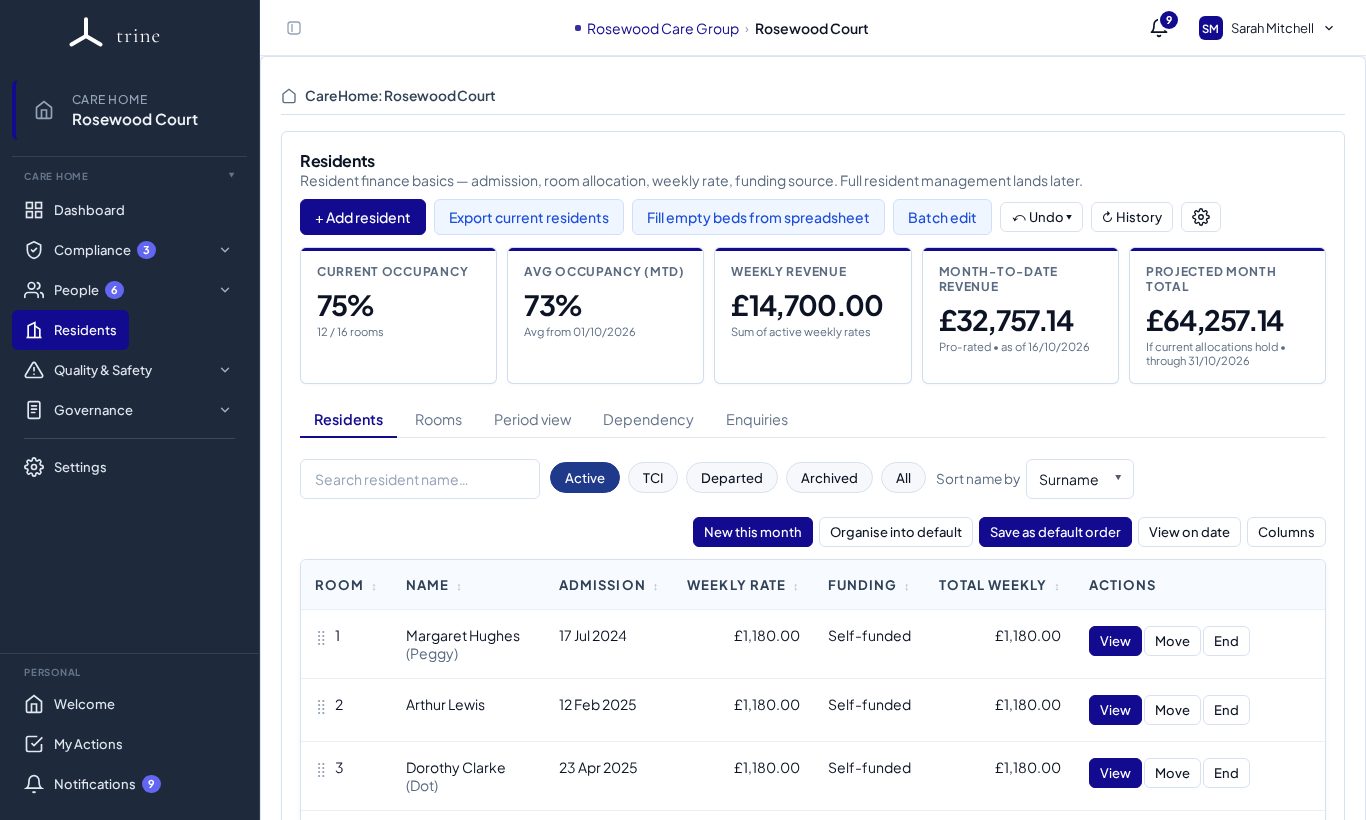
The page
- Buttons: + Add resident, Export current residents, Fill empty beds from spreadsheet, Batch edit, Undo and History.
- Cards: Current occupancy, Avg occupancy (MTD), Weekly revenue, Month-to-date revenue and Projected month total. Money figures show only to people with finance visibility.
- Tabs: Residents, Rooms, Period view, Dependency and Enquiries.
- Resident filters: Active, TCI (to come in), Departed, Archived and All, with sorting and Columns.
- Each resident row shows their room, name, admission date, weekly rate, funding and total weekly rate, with View, Move and End.
How to
- Set up your bedrooms first — see Room configuration — or use the Rooms tab.
- Press + Add resident, enter their name and admission date, and allocate them to a room with weekly rate, funding source and FNC where you track finance.
- Use Move for a room move, and the resident's profile for rate or funding changes — each becomes a dated, history-preserving change; use Correct error for typo fixes.
- Use End when a resident leaves or dies, giving the date and reason.
- Open a resident with View for their identity card, today's state and full allocation history.
Rooms
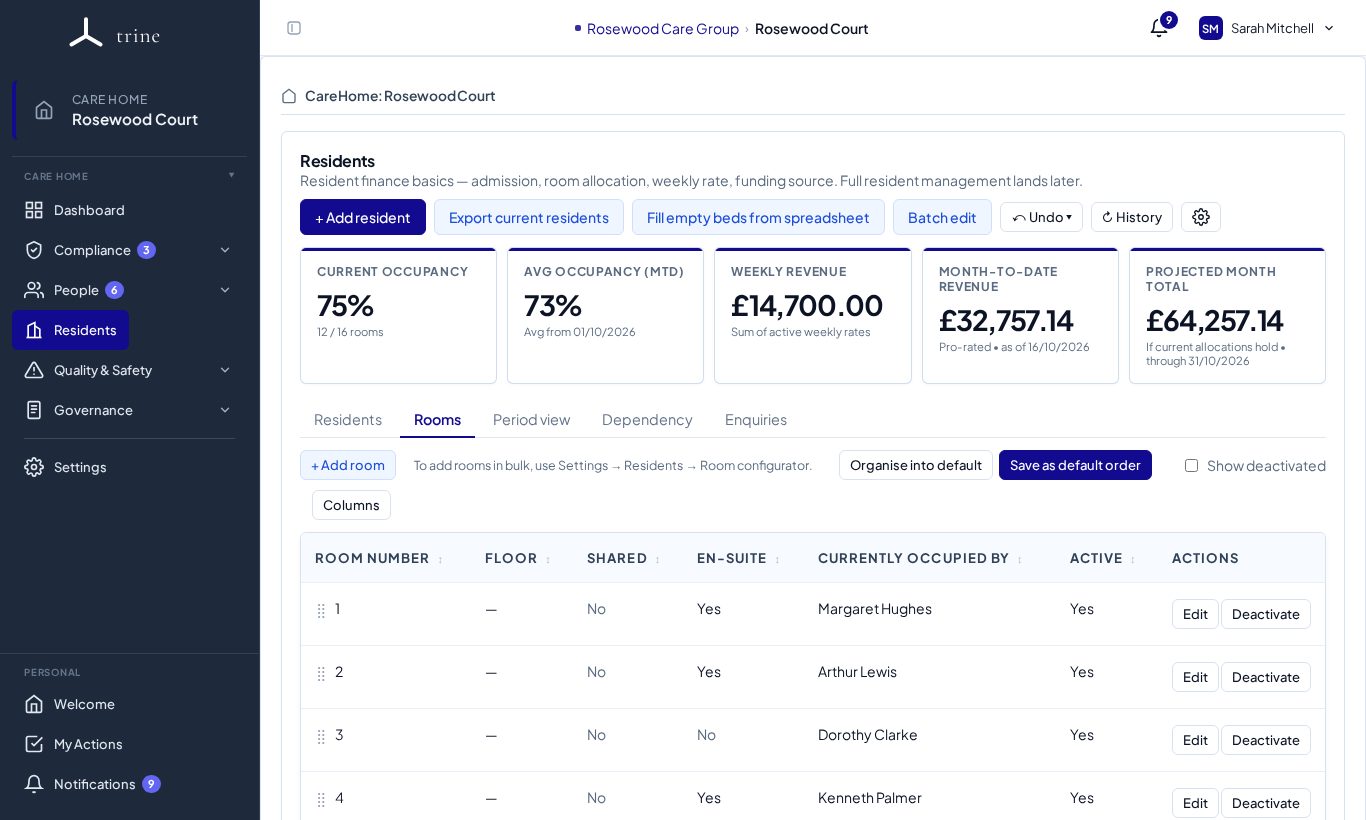
The Rooms tab lists every room with its floor, shared / en-suite flags, current occupant and whether it's active. + Add room adds one; Organise into default sorts them; Show deactivated brings back retired rooms.
Good to know
- The dated model lets occupancy and income reports read the correct snapshot at any date.
- Period view shows the occupancy and revenue figures, with the residents table, for a date or month you pick.
- Finance figures respect finance-reporting visibility — staff without it don't see monetary values.
Related: Room configuration · Occupancy and finance · Resident and finance settings