Trine produces its PDFs as proper documents, laid out like a printed report.
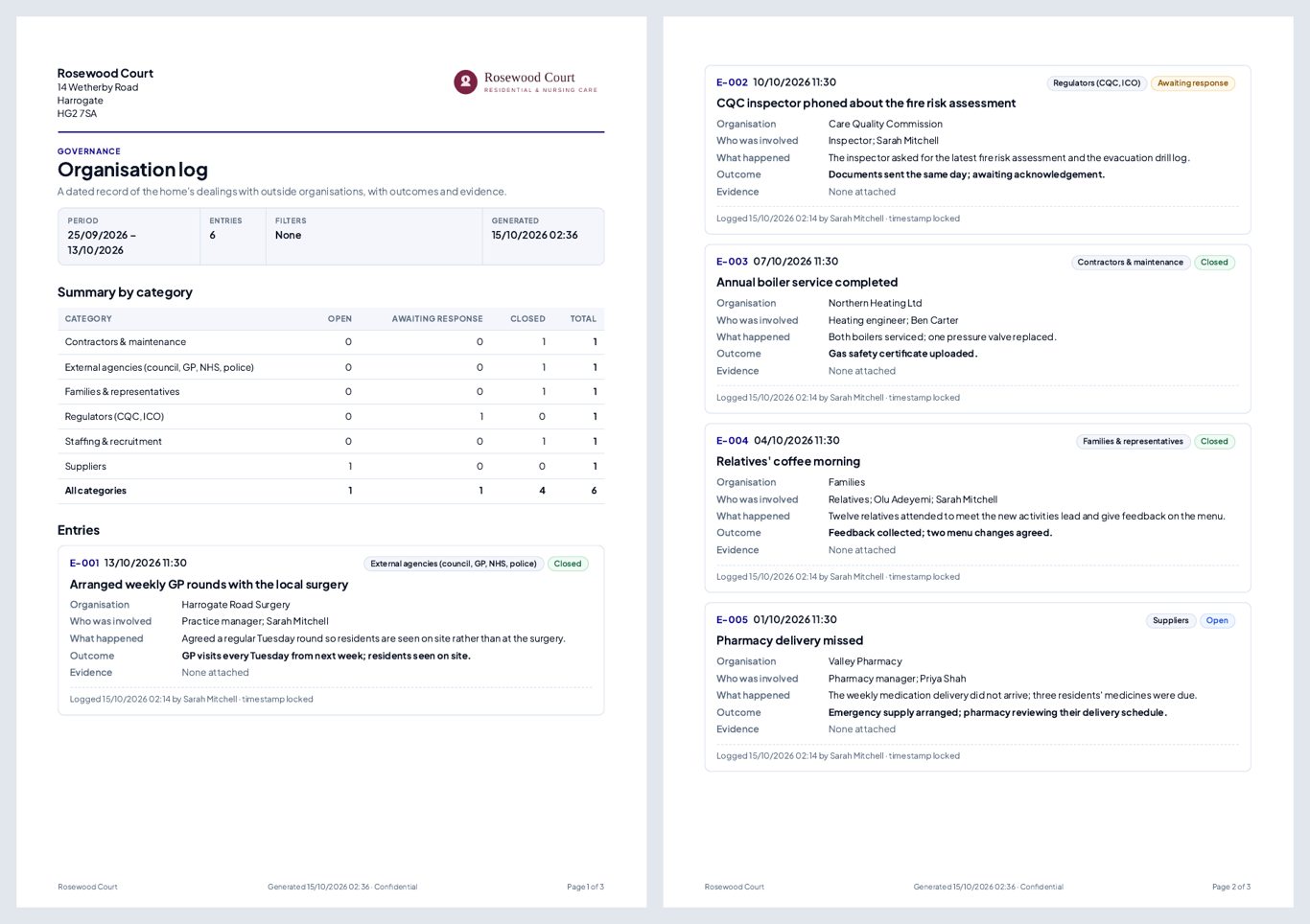
What every report PDF has
- Selectable, searchable text — copy a passage or search for a word; nothing is a flat picture of text.
- A4 pages in Trine's own typeface, with tables that keep their headings when they run onto another page and entries that aren't split awkwardly between pages.
- A header on page 1 with the care home's name, address and logo (when one is uploaded in Settings), the report title and a summary of what's included.
- A footer on every page with the care home's name, when it was generated, Confidential and Page X of Y.
- A clear message instead of a blank page when there's nothing to include.
Which PDFs
| Where | What's in it | |
|---|---|---|
| Organisation log | Governance → Organisation log → Export PDF | The entries shown, a summary by category, an evidence index and a signed declaration |
| Action Plans | Quality & Safety → Action Plans → Export | The actions you've filtered, in landscape |
| Incidents & Risk | Quality & Safety → Incidents & Risk → Export | The register for a date range, with an owner column, with or without graphs |
| Audit | Compliance → Audit → open an audit → Export | The audit run, scores and findings, with its evidence |
| Meetings | Governance → Meetings → select meetings → export | The selected meetings with charts |
| Survey results | Quality & Safety → Surveys → a survey | Response rate, results per question and comments |
| Blank survey | Settings → Surveys or a survey | A printable paper copy for people who prefer it |
| Letters | Offer letters, and letters from a staff member's Communication timeline | A letter on the home's letterhead with signature and page numbers |
Good to know
- Letters are laid out as letters — letterhead, date, recipient, body and signature — with just a page number in the footer, and the legal footer at the bottom of the page.
- Each PDF includes only what you're allowed to see, and exports exactly what you filtered on screen.
Related: Organisation log · Reports and exports · Staff communication