Who can use it: care-home managers, administrators and provider admins.
Where to find it
Open People → Contractors.
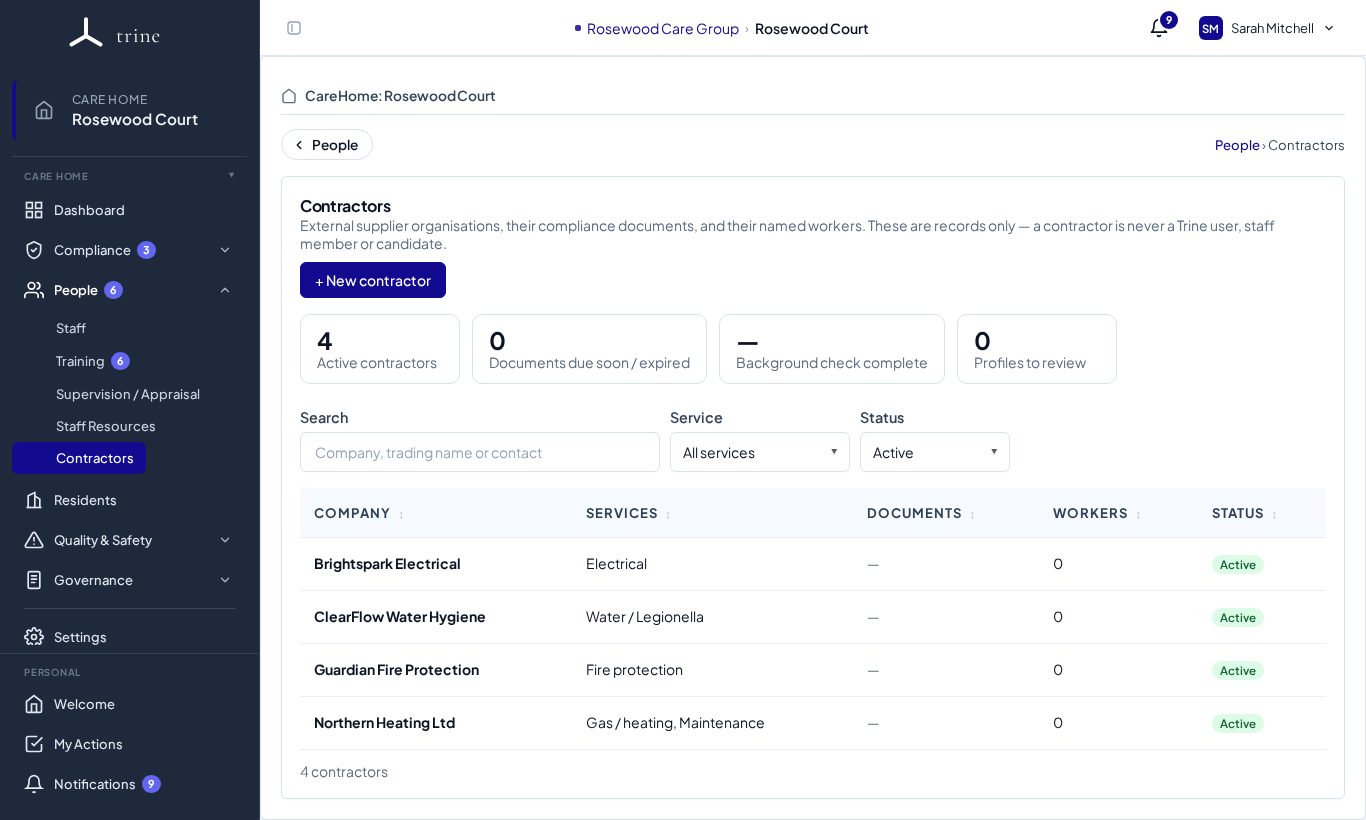
The page
- Cards: Active contractors, Documents due soon / expired, Background check complete and Profiles to review.
- Search by company or trading name, and filter by Service and Status.
- The list shows each contractor's services, documents, number of workers and status.
Adding a contractor
- Press + New contractor.
- Enter the company, its services (for example electrical, gas / heating, water / legionella, fire protection, lifts, maintenance) and its primary contact.
- Mark whether it's an emergency / business-continuity supplier.
- Save.
A contractor's record
Click a contractor to open it.
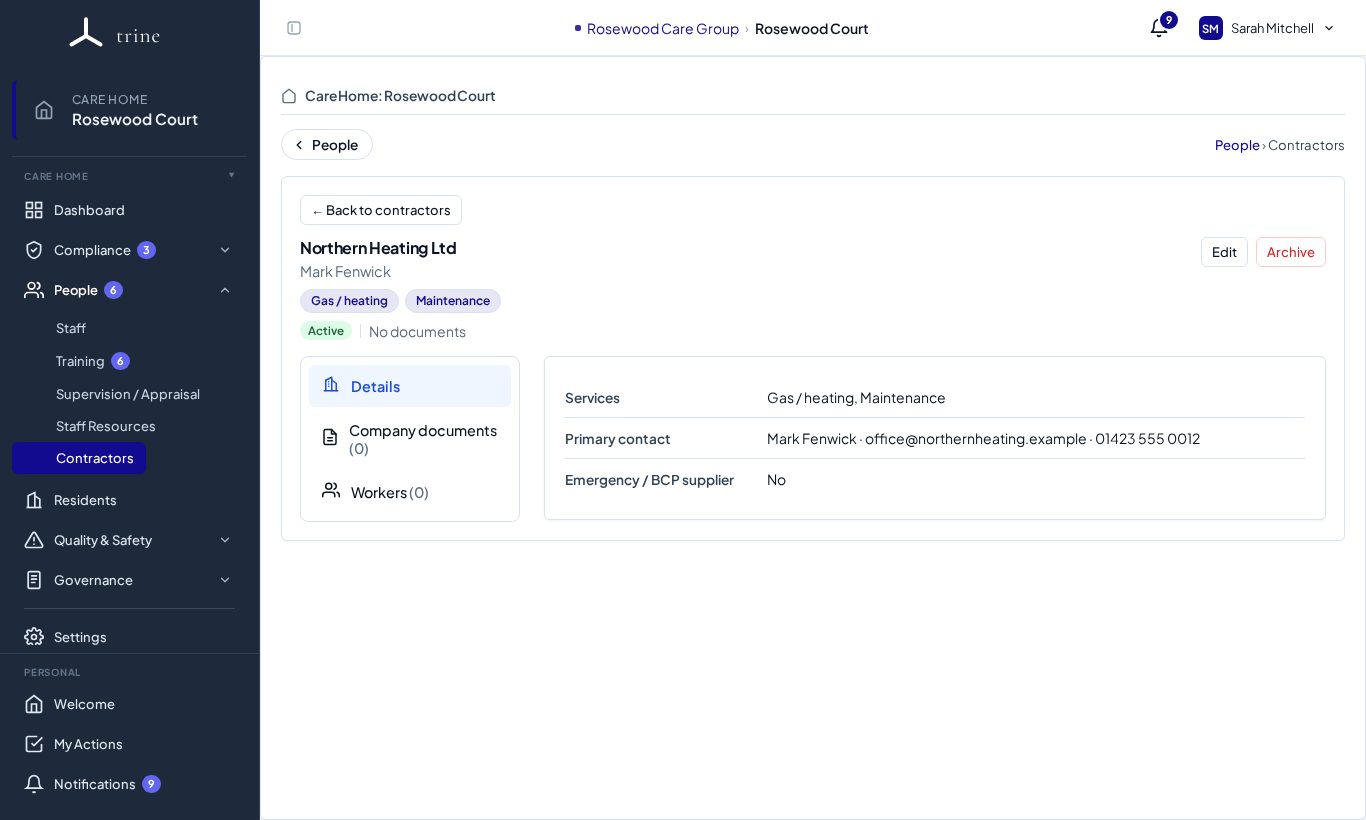
- Details — services, contact and the emergency / BCP flag. Edit to change them, Archive to retire the contractor.
- Company documents — upload insurance, accreditations and service certificates with optional expiry dates.
- Workers — add the contractor's named workers and their documents (DBS, right to work, trade qualifications) where you hold them, with a background-check status and review date.
Good to know
- Contractors and their workers are records only — a contractor is never a Trine user, and nothing here counts toward readiness, training or reminders.
- Documents show a current, due-soon or expired status from their expiry dates, with version history and secure view/download.
- Record each visit and its outcome in the Organisation log (category Contractors & maintenance).
Related: Agency workers and organisations · Organisation log