Who can use it: care-home managers and administrators.
Where to find it
Open Quality & Safety → Complaints & Compliments.
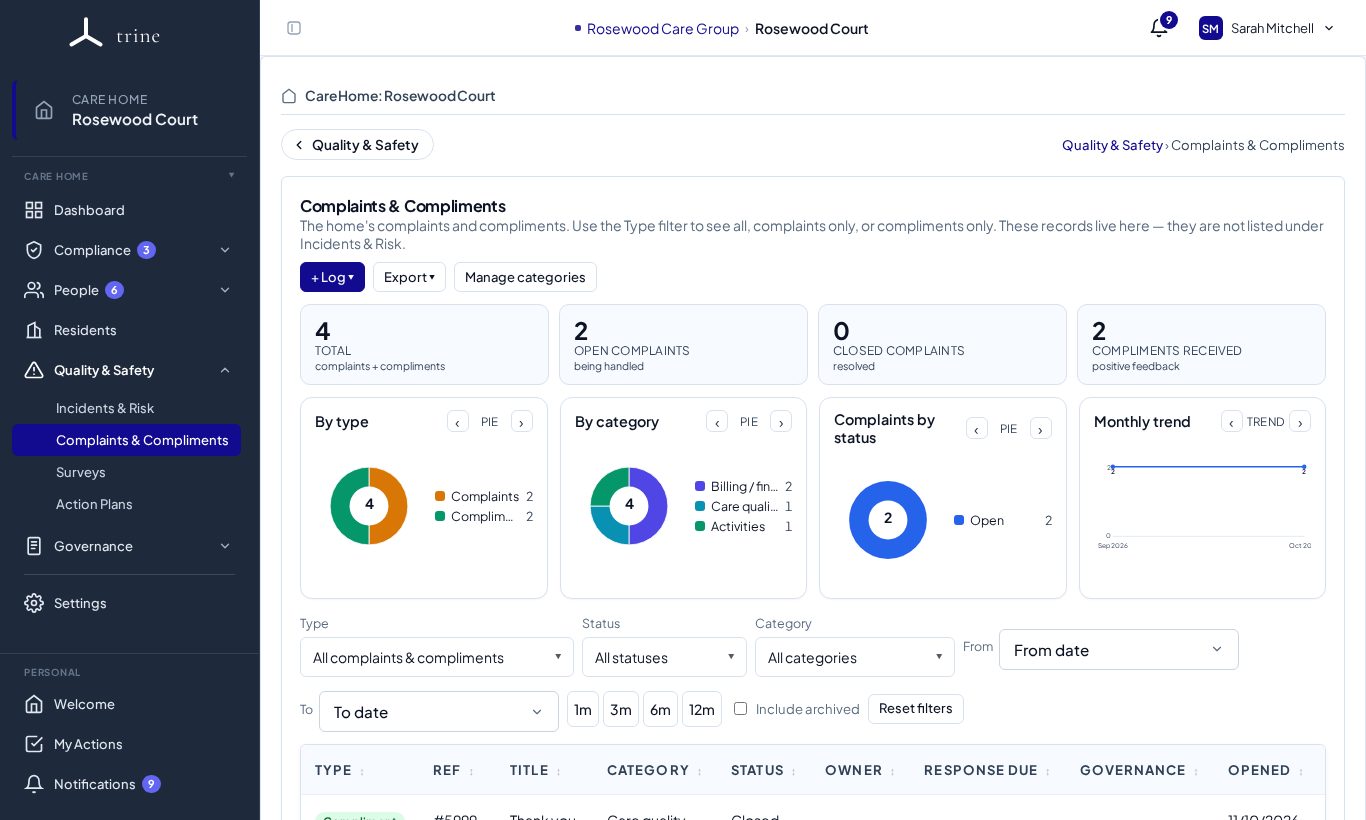
The page
- Buttons: + Log, Export and Manage categories.
- Cards: Total, Open complaints, Closed complaints and Compliments received.
- Charts: By type, By category, Complaints by status and Monthly trend. Each chart can switch between pie and bar.
- Filters: type (all, complaints only or compliments only), status, category, a date range, quick ranges (1m, 3m, 6m, 12m) and Include archived.
- The list shows each record's reference, title, category, status, owner, response due date, governance state and when it was opened.
How to
- Press + Log and choose complaint or compliment.
- For a complaint, record what was raised, by whom and how, and work it through investigation to an outcome — the same workflow as the Incidents & Risk register.
- Track the response due date so the complainant hears back in time.
- For a compliment, you can name the staff member praised.
Good to know
- This is a filtered view of the same register — entries, attachments and Action Plans are shared with Incidents & Risk.
- Staff can attach up to three files to a report; on acceptance those become the entry's attachments.
Related: Incidents and risk · Reporting a concern or feedback