Who can use it: care-home managers and administrators (allocated people see their own items).
Where to find it
Open Quality & Safety → Action Plans.
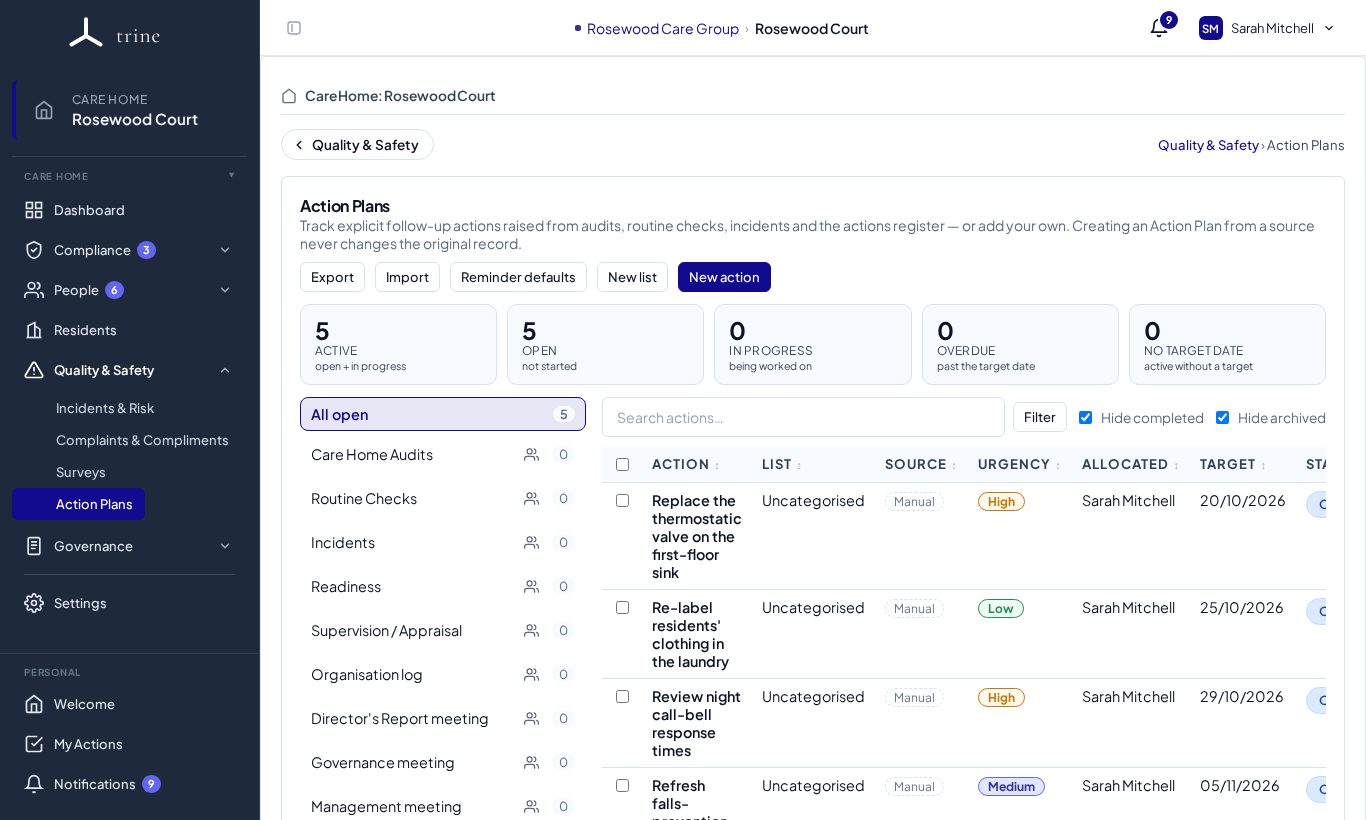
The board
- Cards — Active, Open, In progress, Overdue and No target date. Managers see the whole home; everyone else sees the items allocated to them. Click a card to filter.
- Lists (left) — All open, then a list for each place actions come from: Care Home Audits, Routine Checks, Incidents, Readiness, Supervision / Appraisal, Organisation log, each meeting type, and any lists you create with New list. The numbers show how many items are open in each.
- Table — each action's list, source, urgency, who it's allocated to, target date and status. Use Filter, Hide completed and Hide archived to focus.
- Toolbar — Export, Import, Reminder defaults, New list and New action.
Creating an action
- Send something into Action Plans from where it happened — an audit finding, a failed routine check, an incident, a supervision agreed action, a meeting action or an Organisation log entry. The original record stays where it is and links to the plan.
- Or press New action to add a standalone item.
- Give it a title, task detail, target date, urgency and one or more owners (a person or a role).
Working an action
Click an action to open it.
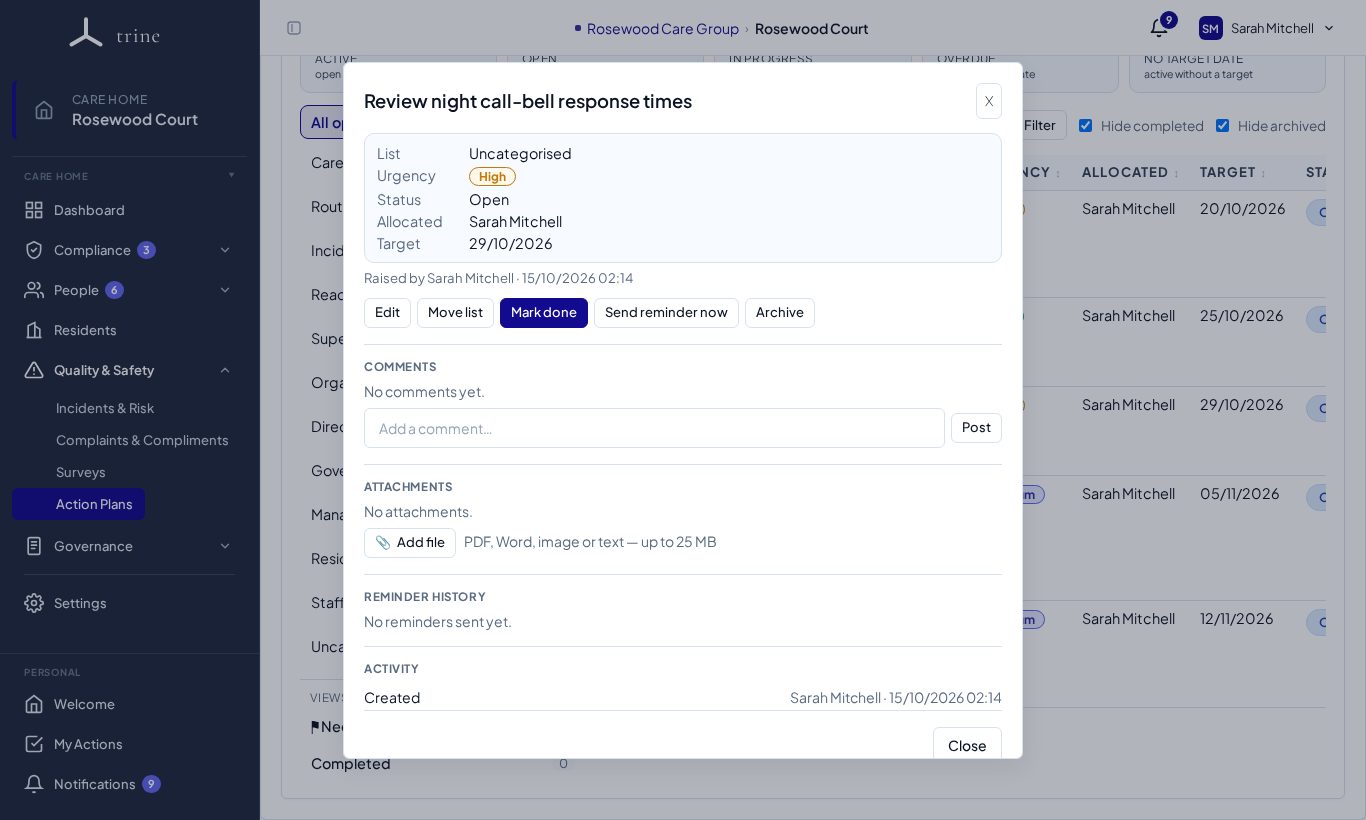
- Change the Status (Open, In progress, Completed) straight from the table, or use Mark done in the popup.
- Add comments and attachments (PDF, Word, image or text, up to 25 MB on Enterprise).
- Move list files it somewhere else; Archive takes it off the board without deleting it.
- Send reminder now emails the people allocated; turn on scheduled reminders (one-off or recurring until done) under Edit.
- The Activity section records every change.
Several at once
Tick the boxes beside actions to move them to another list, archive them or delete them together.
Good to know
- By default one allocated person completing an item finishes it. Tick Require everyone to complete when each person must do their own part — the item then shows progress such as "2 of 3 completed".
- Allocated items also appear in each person's My Actions.
- Needs triage flags issues that don't yet have a plan (for example an out-of-range routine-check reading). If an issue was already dealt with, dismiss it with a reason instead of creating a plan.
- Export downloads every action plan to a spreadsheet or PDF; Import adds new standalone items in bulk from a spreadsheet (preview first, all-or-nothing).
Related: Routine checks · Audits · Actions and My Actions