Who can use it: managers set checks up and allocate them; staff record each one. Available on Professional and Enterprise.
Where to find it
Open Compliance → Routine Checks.
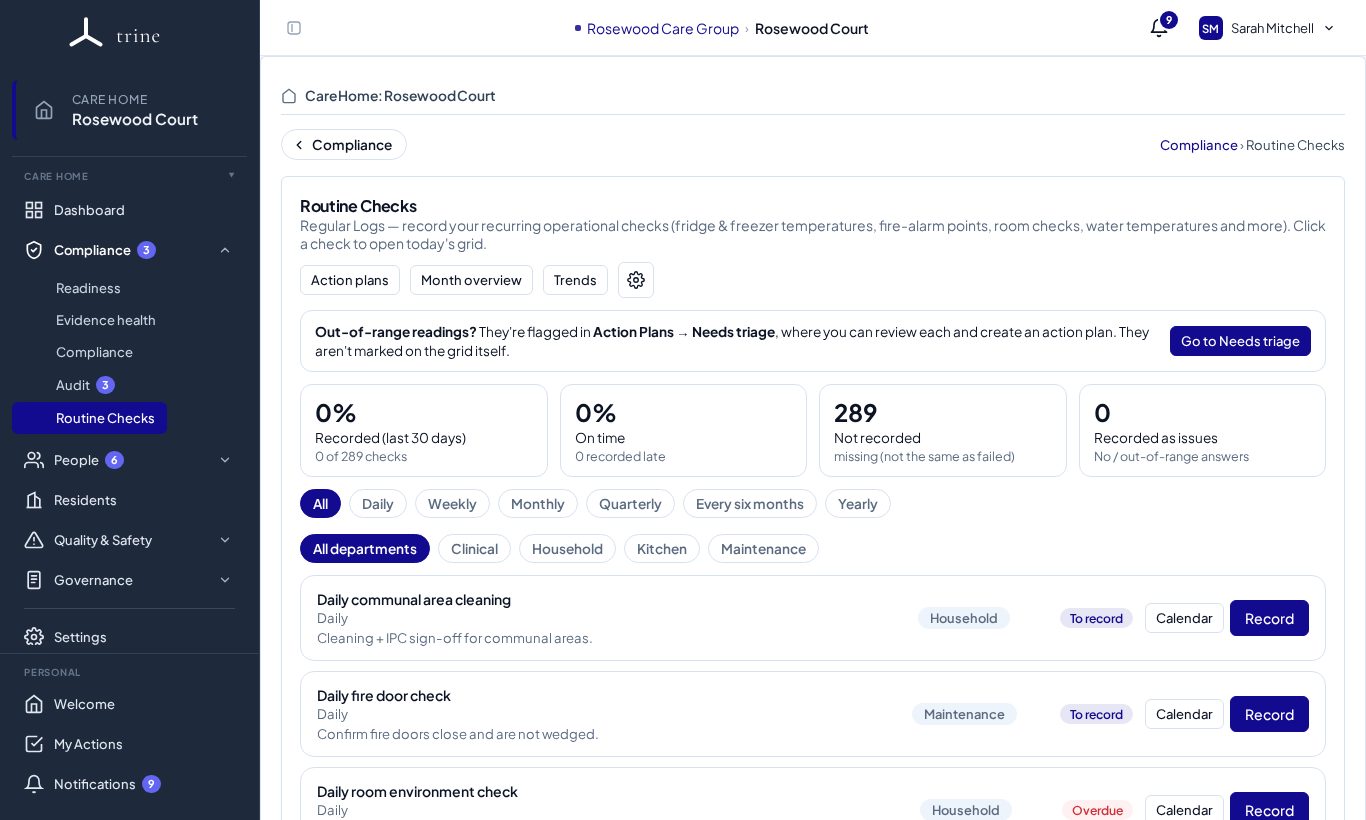
The page
- Tabs: Action plans (follow-ups raised from checks), Month overview and Trends.
- An Out-of-range readings? banner appears when a reading needs a decision; Go to Needs triage takes you there.
- Cards: Recorded (last 30 days), On time, Not recorded and Recorded as issues.
- Filters: frequency (Daily, Weekly, Monthly, Quarterly, Every six months, Yearly) and department (for example Clinical, Household, Kitchen, Maintenance).
- Each check shows its department, its status (To record, Recorded, Overdue), Calendar and Record.
Recording a check
- Press Record on the check. Only checks allocated to you (or your role) are shown to you.
- Fill in the grid. On a phone the grid scrolls sideways.
- For weekly and less frequent checks, set Date carried out to the day the check was actually done. Time columns then only ask for the time.
- Press Submit. A complete check locks; a manager can unlock it to make changes.
The calendar
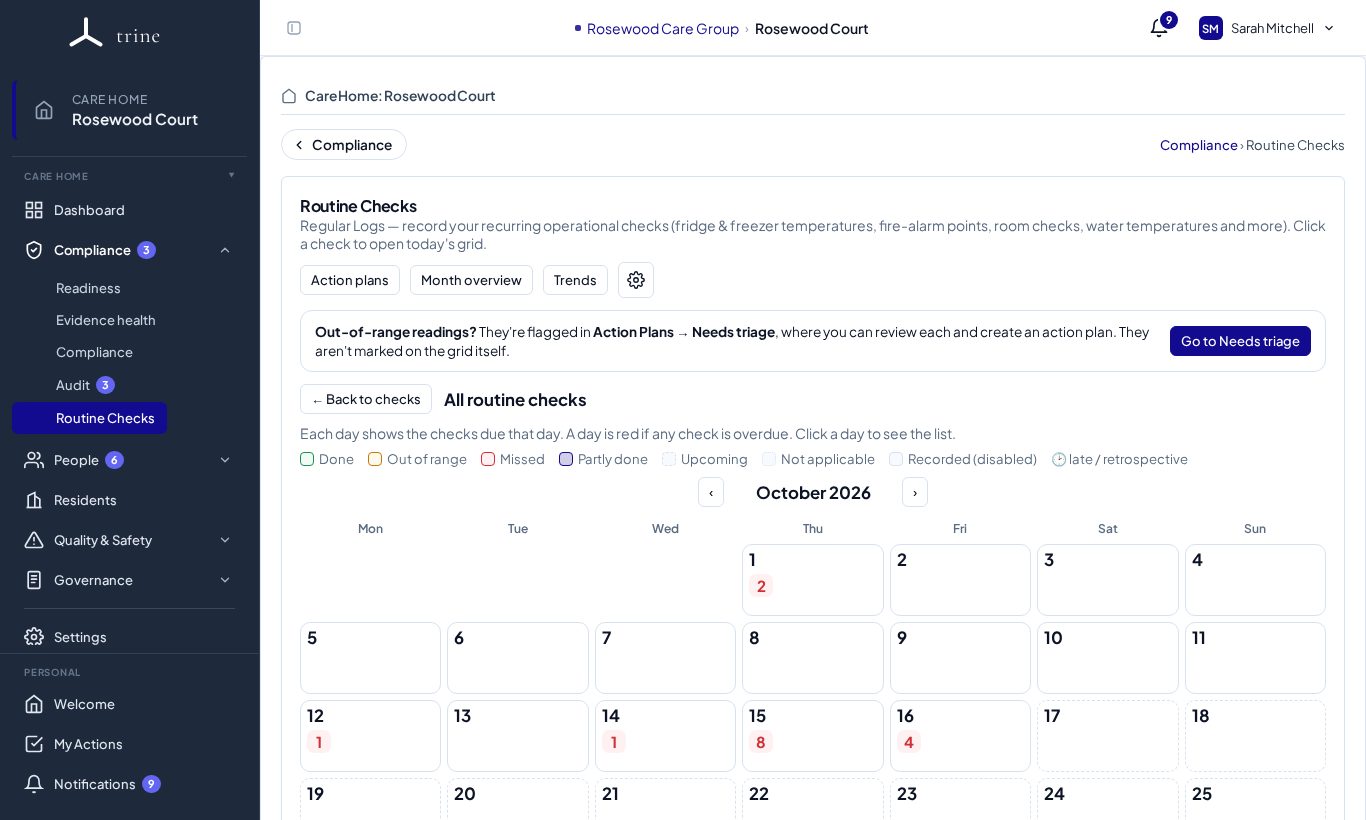
Month overview shows each day colour-coded: Done, Out of range, Missed, Partly done, Upcoming, Not applicable, Recorded (disabled) and Late / retrospective. Click a day to see its checks; when a reading came back out of range, raise a follow-up with Create Action Plan from the day view.
When is a check due?
- Daily and weekly checks run on fixed days.
- Monthly and longer checks are rolling by default: each one is due one interval after the last one was carried out (for example a quarterly fire drill done on 10 October is next due on 10 January). That way the gap between checks is never longer than it should be.
- You can record a rolling check early. The record window shows "recording early", and the next due date moves on from the day you did it.
- A check reads Recorded after it's done, To record as its next due date gets close (about three weeks ahead for a quarterly check), and Overdue once the due time passes.
Done early or late?
When a manager records a rolling check on a different day from its due date, Trine asks when the next one is due:
- Use the date carried out (recommended) — the next one is due one interval after it was done.
- Keep the original schedule — the dates stay as they were. If that would leave a longer gap than the interval (because the check was done early), you'll see a warning first.
Staff and the QR page always use the date it was carried out; a manager can change the next due date later in the check's settings.
Good to know
- Each check belongs to one department. Each department has a QR code that opens a no-login page listing that area's checks, so staff can record from a phone on the spot.
- Progress is measured as recording completion, with timeliness reported separately — a "No" answer and a late entry both still count as recorded, and missing is kept distinct from failed.
- Routine checks give an informational signal; they don't change the readiness score. An audit sub-question can use a check's records as evidence.
Related: Routine Check settings · Action Plans · Audits