Who can use it: care-home managers and administrators; finance figures are shown only to staff with finance visibility. Available on Professional and Enterprise.
Where to find it
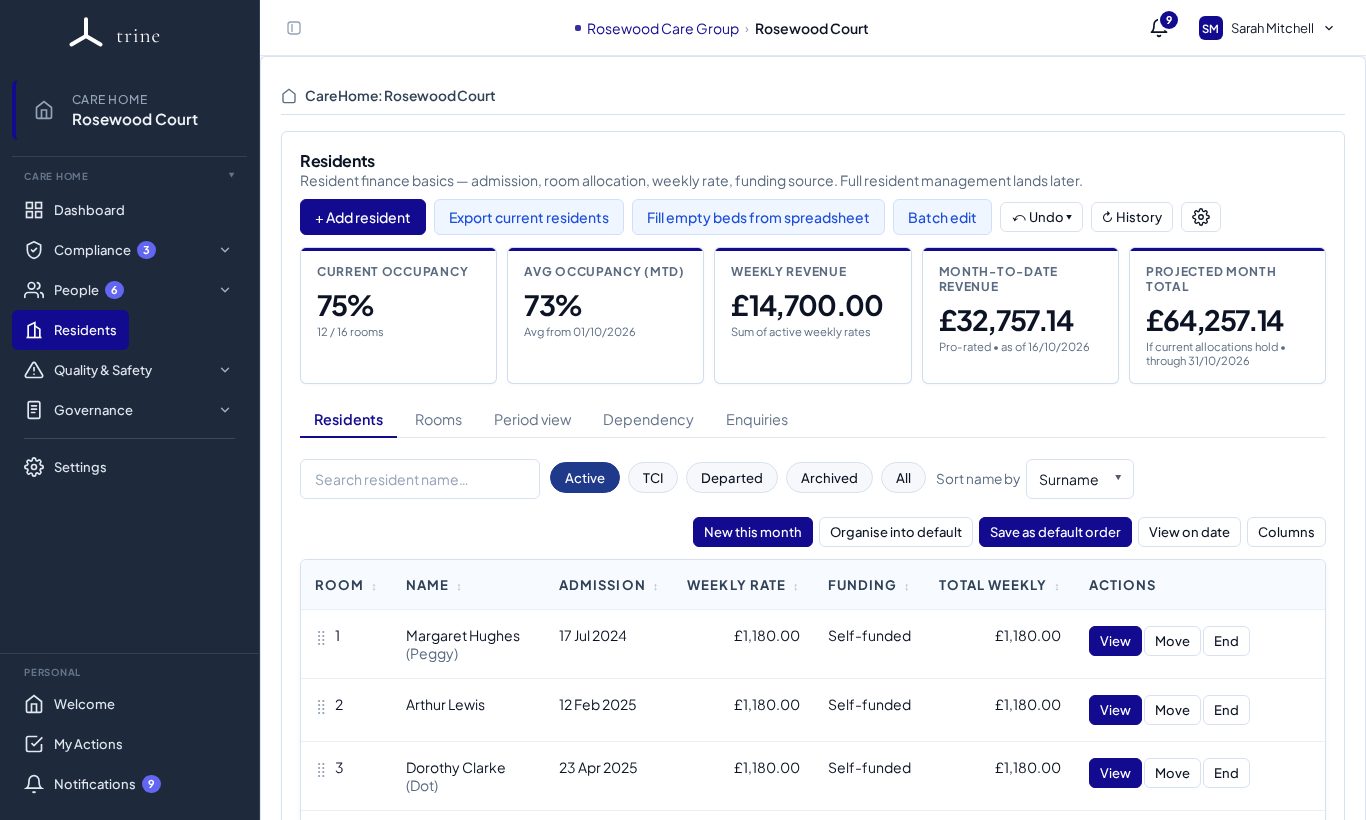
- Residents — the occupancy and revenue cards at the top of the page.
- Governance → Reports — the live financial figures and income trend, and the occupancy report.
How to
- Open Residents for today's Current occupancy, Avg occupancy (MTD), Weekly revenue, Month-to-date revenue and Projected month total.
- Use Period view on the Residents page to see the same figures for another date or month.
- Open Governance → Reports for income by funding source, FNC and the income trend, and choose a date range in the occupancy report to see occupied and empty beds over time.
What to expect
Occupancy is computed from your dated bed allocations — same-day handovers never double-count, and unallocated residents aren't counted.
Important
Finance values are gated by finance-reporting visibility (set in Settings → Residents). Occupancy counts (beds, dates, home names) are operational and don't expose monetary data.
Related: Residents and rooms · Reports and exports · Provider oversight