The Audit tool is where you run structured, recurring quality-assurance audits and follow up what they find.
Where to find it
Open Compliance → Audit.
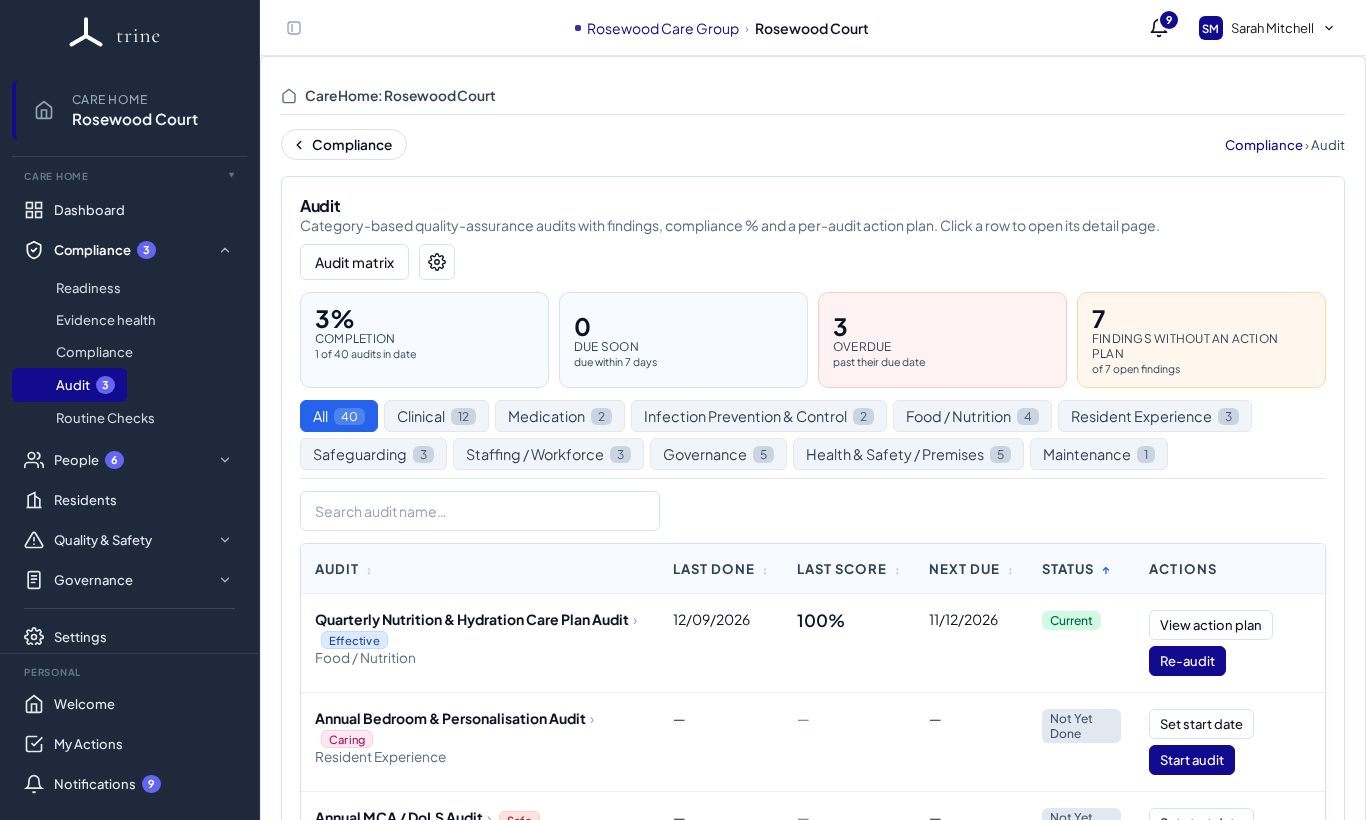
The audit list
- Summary cards: Completion (audits done in their cycle), Due soon, Overdue and Findings without an action plan. Click a card to filter the list.
- Category chips — Clinical, Medication, Infection Prevention & Control, Food / Nutrition, Resident Experience, Safeguarding, Staffing / Workforce, Governance, Health & Safety / Premises, Maintenance — narrow the list.
- Each row shows the audit, when it was last done, its last score, when it's next due and its status. Actions: View action plan and Re-audit.
- Audit matrix gives an overview of every audit and its status in one grid.
Running an audit
- Press Re-audit (or Start) on the audit you want to run.
- Work through each sub-question, giving a Green / Amber / Red rating or N/A, with comments and an evidence reference. For sub-questions linked to a routine check, Trine suggests a rating from that check's records.
- Add owners and due dates to anything that needs follow-up.
- Record your analysis, conclusions and re-audit notes.
- Press Complete. Trine scores the run, sets the next due date from the audit's cadence, and records any red or amber items as findings.
Reviewing an audit
Click an audit to open it.
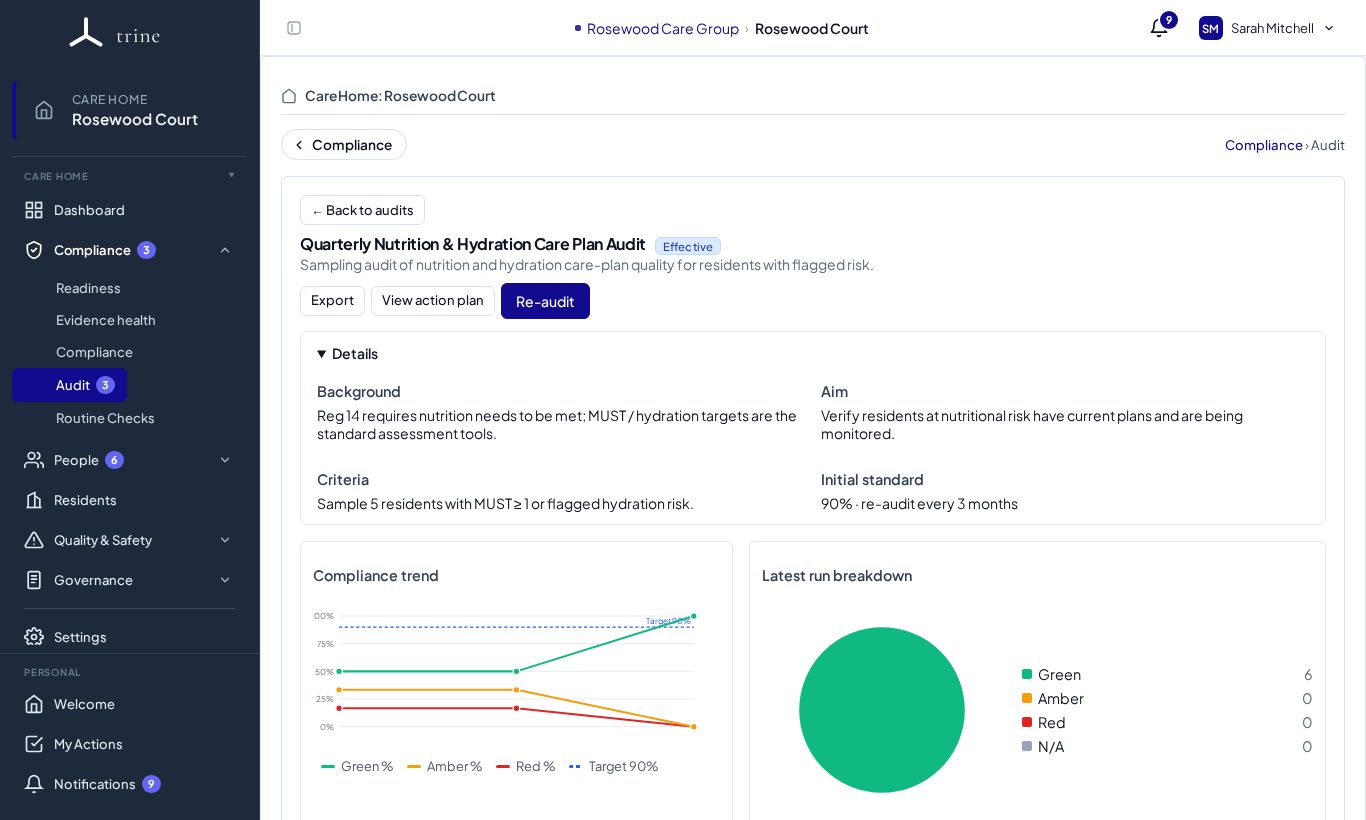
- Details — the audit's background, aim, criteria and the standard it's measured against.
- Compliance trend — each run's score over time, against the target line.
- Latest run breakdown — how many items were green, amber, red or not applicable.
- Export downloads the audit as a PDF with its evidence.
From finding to action
From a finding, Create Action Plan sends it to Action Plans. Managers can do this for any audit; staff allocated to an audit can do it for that audit's findings. The Findings without an action plan card shows what's still to plan.
Good to know
- The audit library has CQC-aligned audits; your home starts with the recommended set and can add, edit or archive audits in Settings → Audit.
- Who can run each audit is controlled by allocations — by category or by individual audit.
Related: Audit settings · Action Plans · Routine checks