There are two views of the same work: the home's action register and your personal My Actions.
The action register
Open Compliance → Readiness (Register tab).
- Each action has an owner, due date, state and its evidence.
- Use + Add register entry to add work; View gaps shows what evidence is missing.
- Filter by owner, due state or origin, or tick My actions only to focus.
My Actions
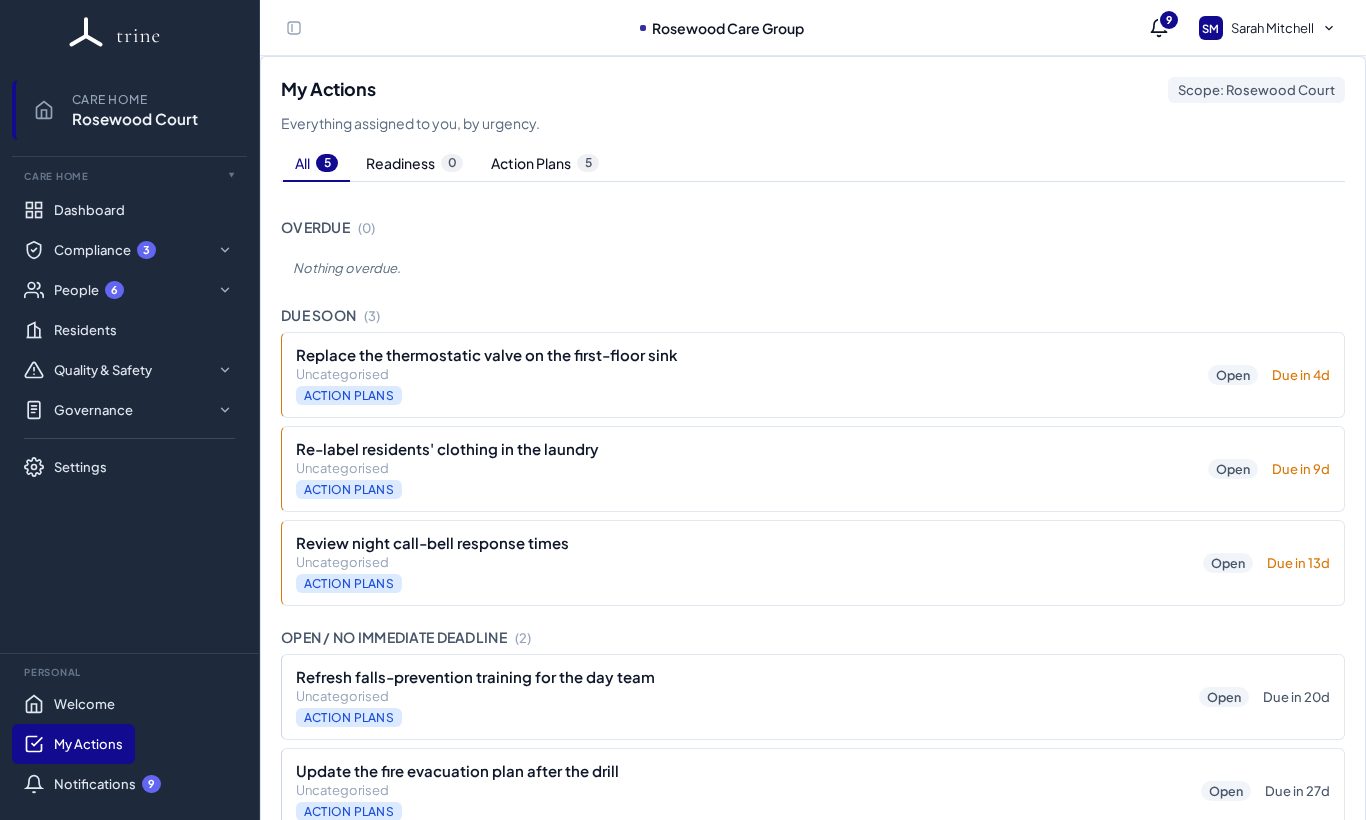
My Actions (in the Personal section at the bottom of the menu) is your personal feed of everything assigned to you.
- Open My Actions.
- Use the tabs — All, Readiness and Action Plans — to narrow the list. The numbers show how many are open in each.
- Items are grouped into Overdue, Due soon and Open / no immediate deadline. Each shows its source (for example Action Plans), status and due date.
- Click an item to open it where it lives and update it.
Good to know
- My Actions includes audit actions and Action Plan items allocated to you or to your role.
- The Scope label at the top right shows which care home the list covers.
Related: Readiness · Action Plans