Who can use it: care-home managers and administrators, and anyone given the staff-communication permission.
Where to find it
Open People → Staff, click a staff member and choose Communication.
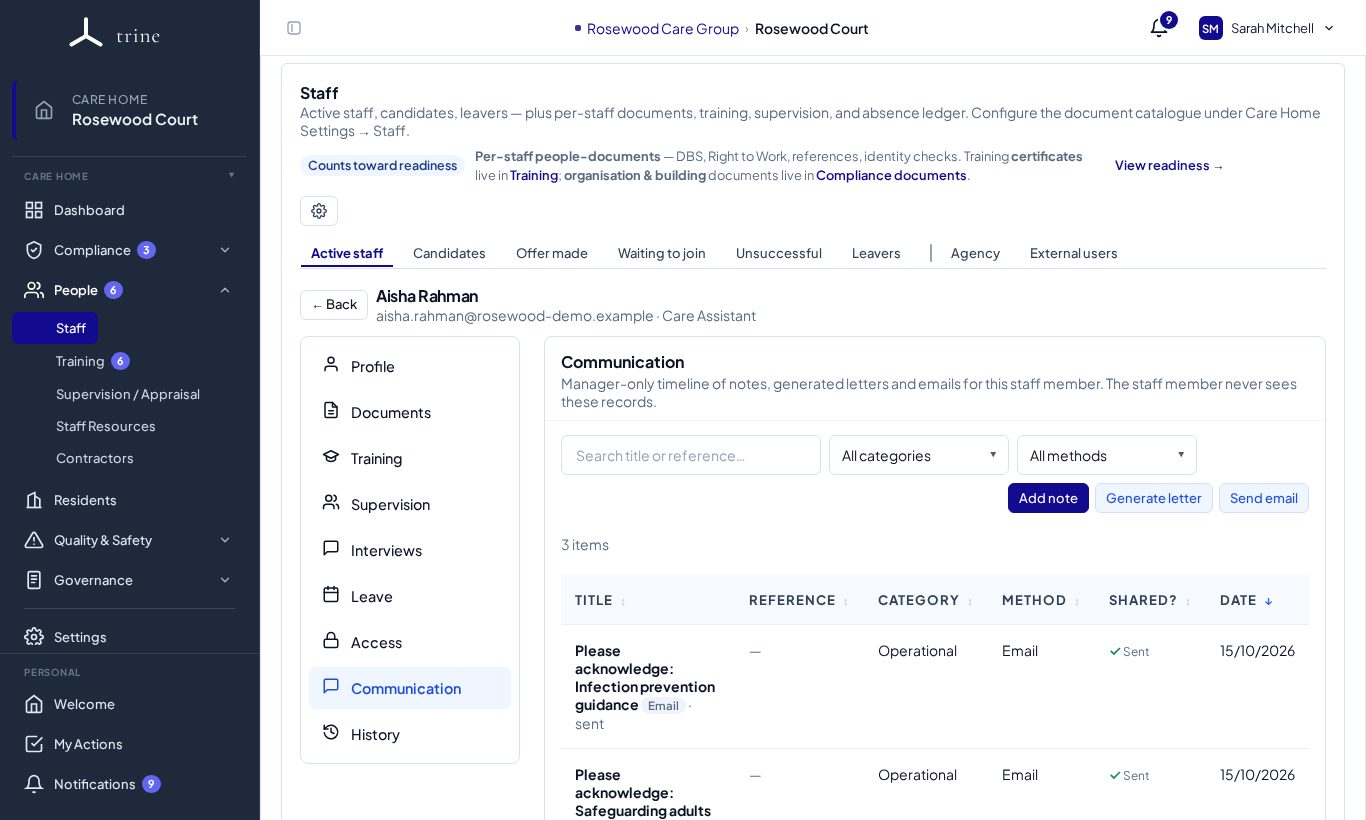
The timeline
One list of everything that's passed between the home and this person — notes, generated letters and emails sent from Trine — newest first, with title, category, method and date. Search it, or filter by category and method. Click a row to read it in full.
Adding a note
- Press Add note.
- Give it a title, the date it happened and how it happened (method — telephone, face to face, email, video call, meeting, letter, admin note or other), and a category if helpful (categories are managed in Settings → Staff → Communication).
- Write the note and save. Notes can be edited later — changes are tagged "(edited)" and kept in the audit trail. Notes can't be deleted.
Generating a letter
- Press Generate letter.
- Choose the letter type, title and date, and write or adjust the body. Preview shows the finished PDF on the home's letterhead.
- Save. The letter is added to the timeline with a reference (LTR-…) and can be downloaded at any time. It also appears in the person's General Documents, where you can choose whether they can see it.
Sending an email
- Press Send email.
- Write the subject and message; optionally attach a letter you've generated.
- Send. The email goes from Trine with your home's verified reply address, and is added to the timeline with whether it was delivered.
Good to know
- Notes are for candid manager observations, so the staff member never sees the timeline.
- Recruitment and offer emails sent before the person joined also appear, so the record is complete from their first contact.
Related: Staff, Training and HR documents · Reply email and email-notification settings