Who can use it: care-home managers and administrators (staff see their own records under My Documents).
Where to find it
Open People → Staff.
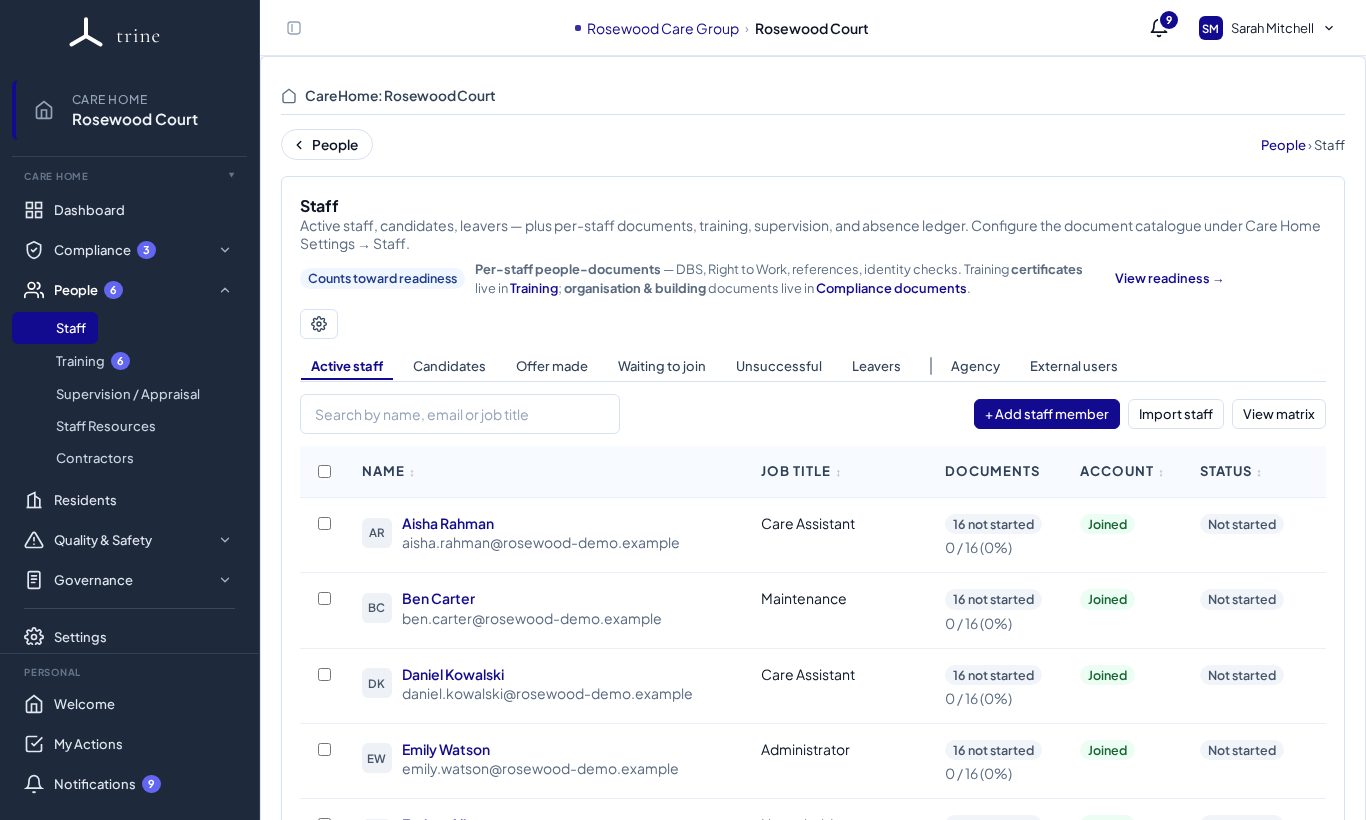
The Staff page
- Tabs: Active staff, Candidates, Offer made, Waiting to join, Unsuccessful, Leavers, Agency and External users.
- Buttons: + Add staff member, Import staff (from a spreadsheet: template → preview → confirm) and View matrix.
- Each person shows their job title, document progress (for example 14 not started · 0 / 16), whether their account has been joined, and their overall status.
A staff member's record
Click a name to open their record.
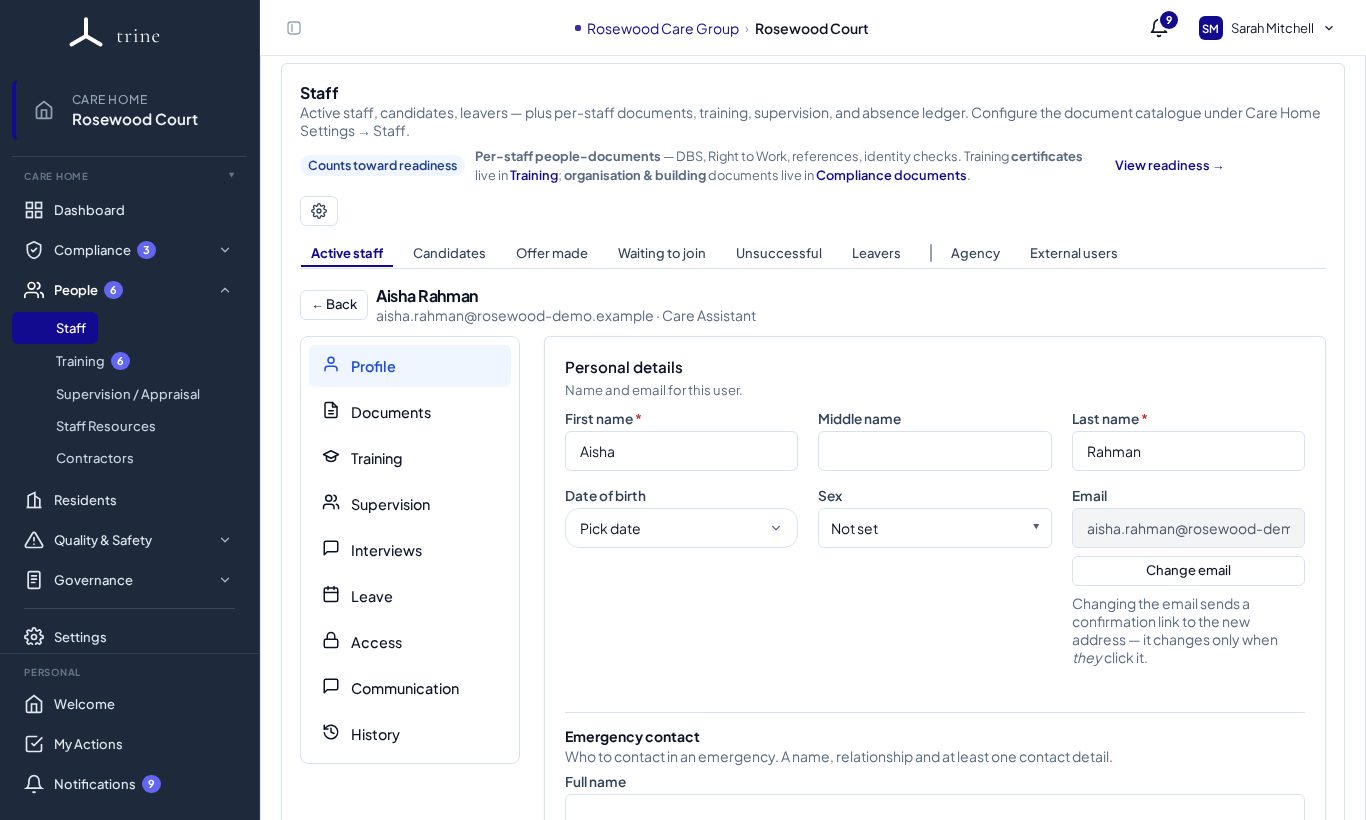
- Profile — personal details and the emergency contact / next of kin.
- Documents — their HR file: identity, right to work, DBS, references, contracts, forms and more, each with its status and history. General Documents holds correspondence and other files.
- Training and Supervision — their records from those modules.
- Interviews — interview notes and files, with version history.
- Leave — absence records and the informational Bradford score.
- Access — their menu access, extra permissions and 2FA reset.
- Communication — the manager-only timeline of notes, letters and emails.
- History — every change to their record.
How to
- Add a new starter with + Add staff member, or bring them through recruitment as a candidate.
- Work through their Documents: upload or request each one, and review what they upload themselves.
- Keep expiry dates accurate — expiring HR documents and training trigger reminders to managers.
- When someone leaves, record their leaving date; they move to Leavers and their records stay on file.
Good to know
- Staff without manager access use People → My Documents to complete their own forms and upload their own documents. Completed online forms lock once submitted; a manager can reopen one to amend it.
- Which documents each role needs is set in Settings → Staff → HR Documents.
Related: Training · Supervision and appraisal · Recruitment and onboarding