Who can use it: care-home managers and administrators.
Where to find it
Open Governance → History.
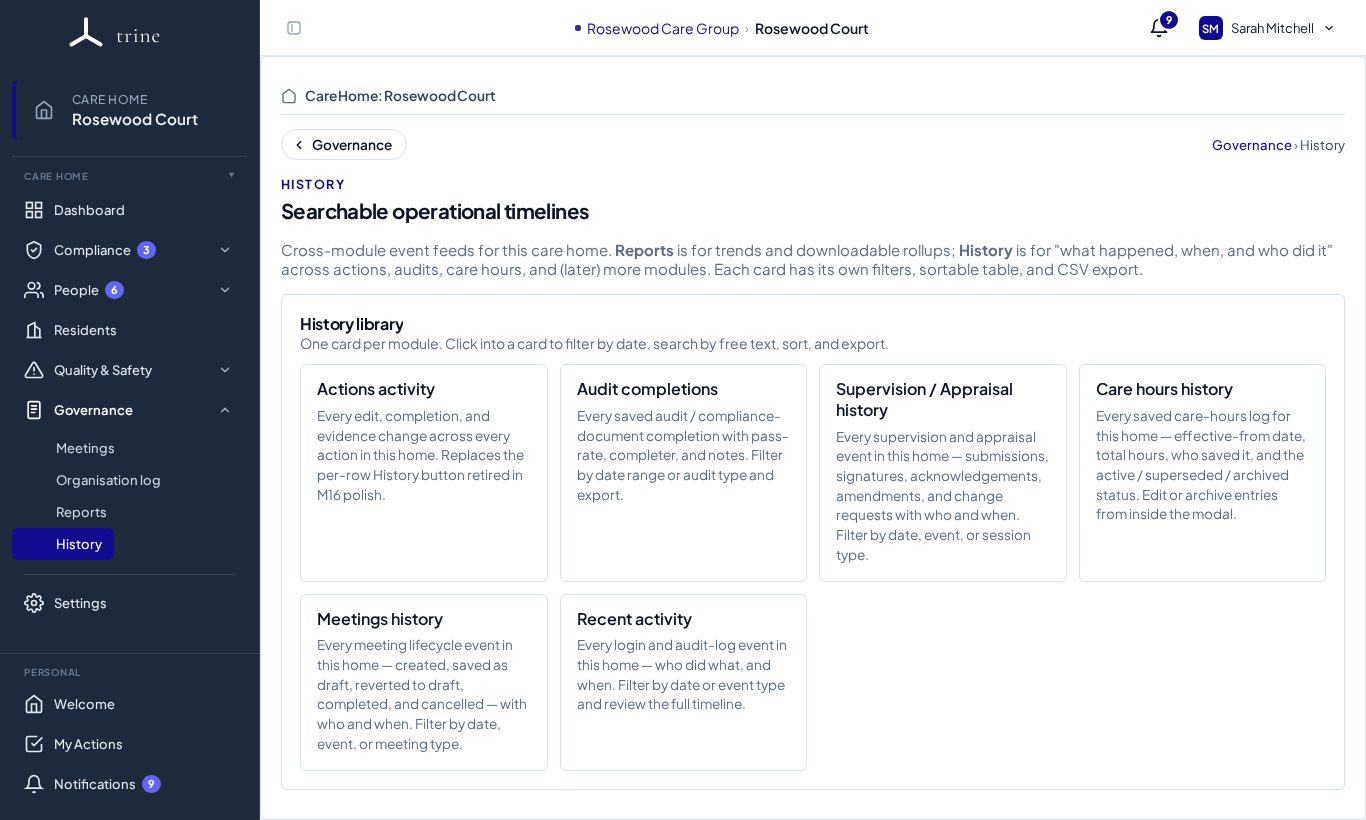
The history library
Each card opens one timeline, with its own filters, a sortable table and CSV export:
- Actions activity — every edit, completion and evidence change across every action in the home.
- Audit completions — every saved audit or compliance-document completion: who, when, the date range and type.
- Supervision / Appraisal history — every supervision and appraisal event: submissions, signatures, acknowledgements, amendments and change requests.
- Care hours history — every saved care-hours log, effective date and who changed it.
- Meetings history — every meeting created, completed, cancelled or archived.
- Recent activity — every sign-in and audit-log event in the home: who and what, filterable by date, event type and free text.
How to
- Click a card.
- Filter by date, person or type, or search the text.
- Sort the table, then export to CSV if you need a copy.
Good to know
- History answers "what happened, when, and who did it". For trends, totals and key figures, use Reports.
Related: Reports and exports · Audits