Who can use it: care-home managers and administrators.
Where to find it
Open Governance → Reports.
What's on the page
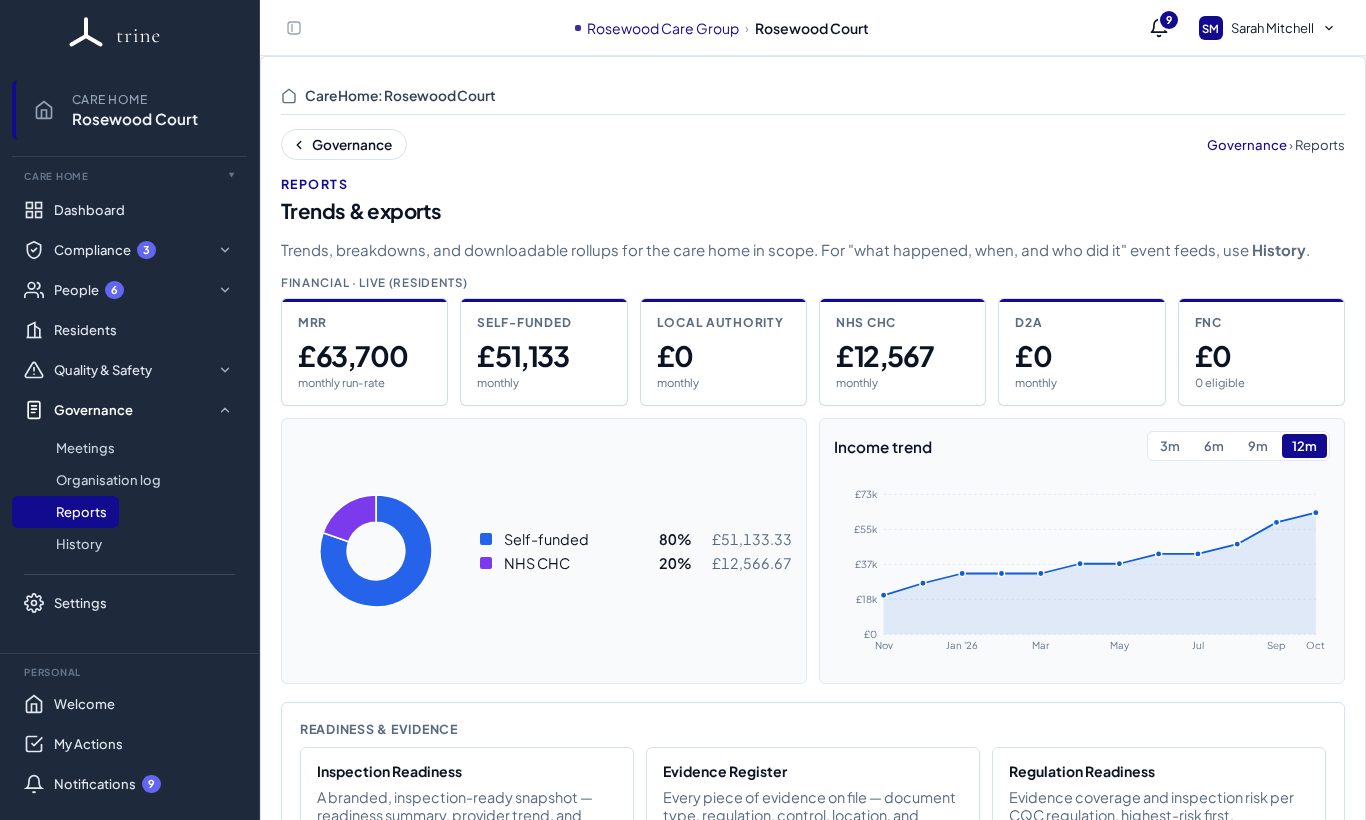
- Financial — live (residents) — monthly recurring revenue and its split by funding source (self-funded, local authority, NHS CHC, D2A) plus FNC, with an Income trend you can set to 3, 6, 9 or 12 months. Shown only to people with finance visibility.
- Readiness & evidence — Inspection Readiness, Evidence Register, Regulation Readiness and more.
- Further report cards below these, depending on your plan and access.
How to
- Choose a report and set the filters it supports (dates, categories, staff, status).
- Preview it on screen.
- Export it as CSV, Excel or PDF, where the report offers them.
- For a full readiness pack, use Download inspection pack on Compliance → Readiness.
Exports elsewhere in Trine
Many pages have their own export button that downloads exactly what you've filtered: Action Plans, Incidents & Risk, Complaints & Compliments, Audit, Meetings, Surveys, the Organisation log, the training matrix and current residents.
Good to know
- Reports are a point-in-time snapshot. For an event-by-event trail, use Governance → History.
- See PDF exports for what every PDF includes.
Related: PDF exports · History · Absence (Bradford score)